
MNTRA Instruments Galactron
Professional music gear - detailed information and where to buy
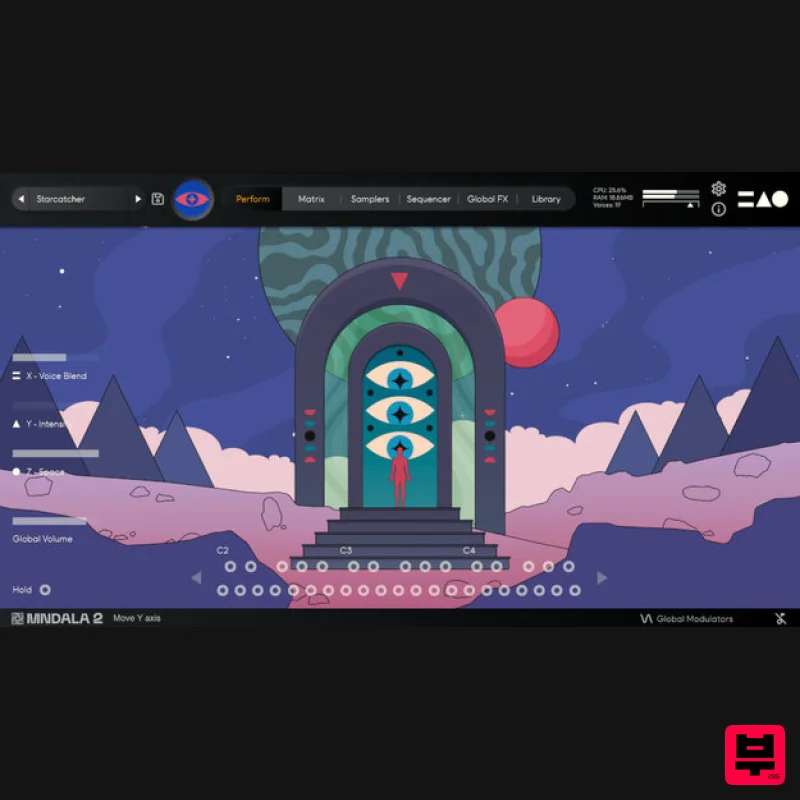
MNTRA Instruments
Galactron
Product Info
* Prices may vary. Check retailer for current pricing and availability.
Product Description
- Cosmic Digital Dust Galactron is an assembly of electronic sounds that reminisce on neo-psychedelic aesthetics
- inspired by the explosion of FM Synthesis
- daring stereo movement
- gigantic reverbs and ambience pads. Through MNTRA's sampling engine
- MNDALA 2
- the sounds of the synthesisers that the MNTRA team have used and loved for a long time
- have grown to become a new kaleidoscopic creation
- always colourful and always different. Galactron complements MNTRA's ever-growing collection of instruments with a retro-modern approach to keys
- pads and otherworldly atmospheres. Sampling a collection of 80s digital (or digitally controlled) synthesisers
- these already characterful sounds are brought to the next level within MNDALA 2's deep sound shaping network of effects and modulation. Through the 3-axes (XYZ) global controls
- these sounds come to life in a way that was unthinkable before
- morphing and breathing as you play them. Keys E-Piano - Cheesy 80s FM piano. Crystal Pluck - Lofi crystalline marimba-like pluck. String Thing - Bright harpsichord-like long pluck. Scorched Keys - Buzzy FM string-like keys. Dusty Bells - Lofi metallic tines with an age of wear. Marimbaphonic - Synthetic wooden mallet sound with lofi aliasing Membrane - Synthetic membrane with clicky transient. Bellish - Noisey FM bell. Dreamer Keys - Noisy retro analog keys. Reverser - Sliding bass into brassy keys. Analog Harpsichord - Synthetic hammered string Bass Jetson Bass - Thick phase-distorted bass. Play high or low. Swoop Bass - Squelchy acid bass with sub octave tail. Submarine - Deep bass with 80s vibes. Short Sub - Short mellow sub bass. Burnt Bass - Thick dirty bass. Stab Brass Pluck - Short brassy pluck with noisy decay. Bright Stab - Sharp brassy stab. Lead Laser - Piercing FM lead. Astro Lead - Bright buzzy lead. Pad Mothership Organ - A brassy pad with soft octave harmonics. Digi Pad - Soft pad with digital artefacts. Brass Pad - Brassy FM pad. Reedy - Woodwind-like synth with evolving timbre. Neon - Bright nostalgic pad. Air - Floating buzzy pad with lots of motion. Hollow - Phasey harmonic pad with lots of treble bite to cut through a mix. Unstable Organ - Warbly home organ. Angelo - Lofi mellow midrange pad. Atomic - Massive chorused pad. Voyager - Warm pad with a percussive transient. E.T. Flute - Soft and pure flute sound with a touch of digital degradation. Starlost - Warm VHS pad. Flanged - Buzzy pad with flanging. Lush Pad - Big lush analog pad. Rover - Bright analog pad with swell. Pulsar - Bright pulsing analog pad. Mellow Pad - Low-key warm analog pad. Sonar - High pulsing tone with subharmonics. Plucked Pad - Analog pluck into a soft pad. Features 133 Presets 40 Instrument Sample Maps Recorded at 24-bit 48kHz No fuss copy protection
- simply install and the instrument is uniquely encrypted to be used within your system. Seamless download
- updates
- and installation within MNDALA 2 with a registered MNTRA account 40 sample maps System Requirements 64-bit VST3/AU/AAX plugin for Windows & Mac OS (10.11+) including full M1 Chip support 6 GB installed
- 12 GB recommended for setup Minimum 8GB of RAM and an i5 or better CPU required
- SSD drive recommended Supported by all popular VST/AU/AAX compatible DAW’s Note: Huracan is used as an example. Mac 1. Download the MNDALA 2 Engine installer from your Plugin Boutique User Account > Extract the .zip archive > Launch the .pkg installer. 2. Click 'Continue'. 3. Click 'Continue'. 4. Click 'Agree'. 5. Click 'Continue'. 6. Click 'Install'. 7. Click 'Install Software'. 8. Click 'Close'. 9. Launch your DAW > Insert MNDALA 2 on a new instrument track > Click 'Create New Account' (If you have an existing MNTRA Instruments log in and skip to step 15). 10. Enter your email address and click 'Register'. 11. A MNTRA account has now been created > Click 'edit your password and account details' to create a password for your MNTRA account. 12. Enter your chosen password into the 'New password' box > Enter your password again into the 'Confirm new password' box > Click 'Save changes'. 13. Enter your MNTRA account details > Click 'Login'. 14. You are now logged into the MNDALA 2 Engine > Click 'Library' to continue to activate Huracan. 15. Click 'Add From Serial'. 16. Enter your serial number found within your Plugin Boutique User Account > Click 'Enter'. 17. Click 'OK'. 18. Click 'Install'. 19. Click 'OK' > Choose a location to store the instruments samples. 20. Huracan is now downloading (this may take a few minutes). 21. Click 'OK'. 22. Click 'OK' > Close and relaunch your DAW. 23. Insert MNDALA 2 on a new instrument track > Click 'Open Preset Browser'. 24. Select 'Huracan' then choose a preset. Huracan is now installed
- activated
- and ready to use. Windows 1. Download the MNDALA 2 Engine installer from your Plugin Boutique User Account > Extract the .zip archive > Launch the .exe installer. 2. Click 'More info'. 3. Click 'Run anyway'. 4. Accept the license agreement > Click 'Next'. 5. Click 'Next'. 6. Click 'Next'. 7. Click 'Next'. 8. Click 'Install'. 9. Click 'Finish'. 10. Launch your DAW > Insert MNDALA 2 on a new instrument track > Click 'Create New Account' (If you have an existing MNTRA Instruments log in and skip to step 15). 11. Enter your email address and click 'Register'. 12. A MNTRA account has now been created > Click 'edit your password and account details' to create a password for your MNTRA account. 13. Enter your chosen password into the 'New password' box > Enter your password again into the 'Confirm new password' box > Click 'Save changes'. 14. Enter your MNTRA account details > Click 'Login'. 15. You are now logged into the MNDALA 2 Engine > Click 'Library' to continue to activate Huracan. 16. Click 'Add From Serial'. 17. Enter your serial number found within your Plugin Boutique User Account > Click 'Enter'. 18. Click 'OK'. 19. Click 'Install'. 20. Click 'OK' > Choose a location to store the instruments samples. 21. Huracan is now downloading (this may take a few minutes). 22. Click 'OK'. 23. Click 'OK' > Close and relaunch your DAW. 24. Insert MNDALA 2 on a new instrument track > Click 'Open Preset Browser'. 25. Select 'Huracan' then choose a preset. Huracan is now installed
- activated
- and ready to use.
Additional Information
About the MNTRA Instruments Galactron
The MNTRA Instruments Galactron combines traditional design with modern performance for Virtual Instruments enthusiasts.
Why Choose the MNTRA Instruments Galactron?
- •Authentic MNTRA Instruments craftsmanship and design
- •Versatile sound suitable for multiple musical genres
- •Professional build quality and reliable performance
- •Part of MNTRA Instruments's respected Virtual Instruments lineup
Compare & Explore
Browse our complete selection of MNTRA Instruments instruments or explore other Virtual Instruments options. Use our comparison tools to find the perfect match for your musical style and budget.
Similar Products

MNTRA Instruments Nagual
Virtual Instruments

ZAK Sound Lyra
Virtual Instruments

ZAK Sound Asteroid
Virtual Instruments

MeldaProduction Electric Keys - Tines
Virtual Instruments

Safari Audio Cubby
Virtual Instruments

Audiomodern Opacity 2: Soundbox Instrument
Virtual Instruments

UJAM BEAUTYFLUTE Pro
Virtual Instruments

Boom SWAMPS - 3D Surround
Virtual Instruments

