
Mellowmuse CP2V Compressor
Professional music gear - detailed information and where to buy
Mellowmuse
CP2V Compressor
Product Info
* Prices may vary. Check retailer for current pricing and availability.
Product Description
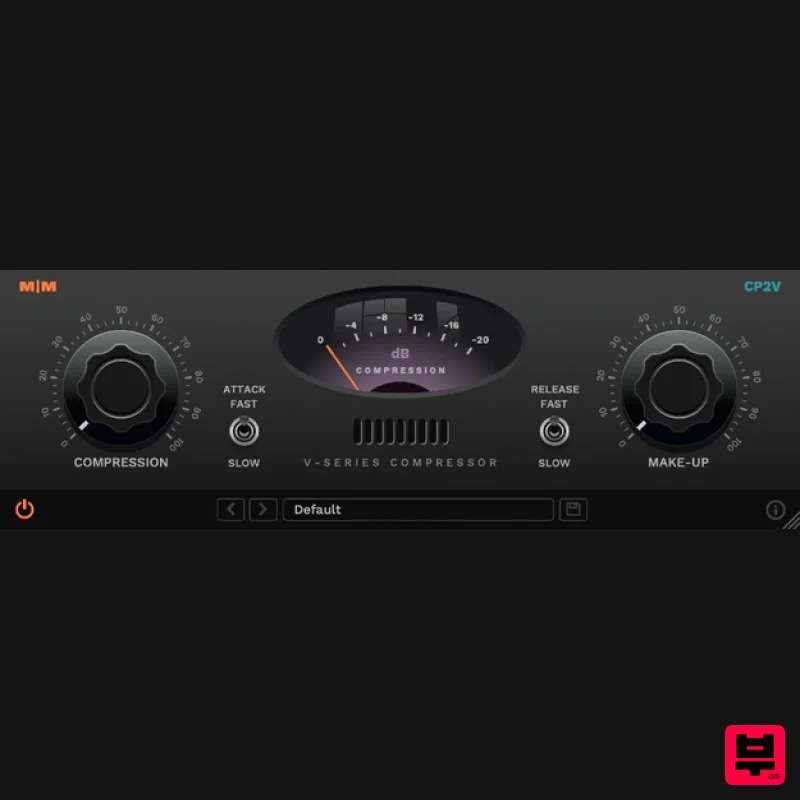
The vintage styled CP2V is a track and program audio dynamics compressor plug-in that oozes character and attitude. With an interface designed with simplicity in mind and multi-stage analogue modeled processing adding saturating harmonics. You'll find it equally at home drums, taming vocals or enhancing acoustic guitar. Without a doubt Mellowmuse's 'gooiest' sounding compressor so far! Features Multi-stage analogue modelled compression. Output driven saturation. VU style compression metering. Fixed attack and release times. 64 bit internal processing. 4x oversampling. System Requirements Windows 10 or above Mac OSX 10.9 or above 64-bit only VST, VST3, AU and AAX Important Note: CS1V Console Channel is used as the example. Mac Installation 1. Download the .pkg file from within your Plugin Boutique User Account and double-click it to extract the contents. 2. Open the .dmg file to begin the installation > Click 'Continue'. 3. Click 'Continue'. 4. Click 'Agree'. 5. Click 'Install'. 6. Click 'Close'. Activation 1. Open CS1V inside of your DAW > Click the i icon at the bottom right of the GUI. 2. Enter your email address and the serial number found within your Plugin Boutique User Account > press Enter on your keyboard. 3. Click the i icon again to close the registration information. Your plugin is now authorised and ready for use in your DAW! Windows Installation 1. Download the .zip file from within your Plugin Boutique User Account and double-click it to extract the contents. 2. Open the .exe file to begin the installation > Select 'I Accept the Agreement' and click 'Next'. 3. Check that the location of your VST3 folder is correct > Click 'Next'. 4. Check that the location of your VST2 folder is correct > Click 'Next'. 5. Click 'Next'. 6. Click 'Install'. 7. Click 'Finish'. Activation 1. Open CS1V inside of your DAW > Click the i icon at the bottom right of the GUI. 2. Enter your email address and the serial number found within your Plugin Boutique User Account > press Enter on your keyboard. 3. Click the i icon again to close the registration information. Your plugin is now authorised and ready for use in your DAW!
Additional Information
About the Mellowmuse CP2V Compressor
The Mellowmuse CP2V Compressor combines traditional design with modern performance for Compressor enthusiasts.
Why Choose the Mellowmuse CP2V Compressor?
- •Authentic Mellowmuse craftsmanship and design
- •Versatile sound suitable for multiple musical genres
- •Professional build quality and reliable performance
- •Part of Mellowmuse's respected Compressor lineup
Compare & Explore
Browse our complete selection of Mellowmuse instruments or explore other Compressor options. Use our comparison tools to find the perfect match for your musical style and budget.
Similar Products

DDMF LinComp
Compressor

PSP Audioware PSP Vintage Warmer 2
Compressor

W. A. Production BIGGIFIER
Compressor

Soundspear Supertube
Compressor

DDMF Comprezzore
Compressor

Korneff Audio Pawn Shop Comp
Compressor

Initial Audio IA-LA1
Compressor

MeldaProduction MEssentialsFXBundle
Compressor

