
MeldaProduction MRatio
Professional music gear - detailed information and where to buy
MeldaProduction
MRatio
Product Info
* Prices may vary. Check retailer for current pricing and availability.
Product Description
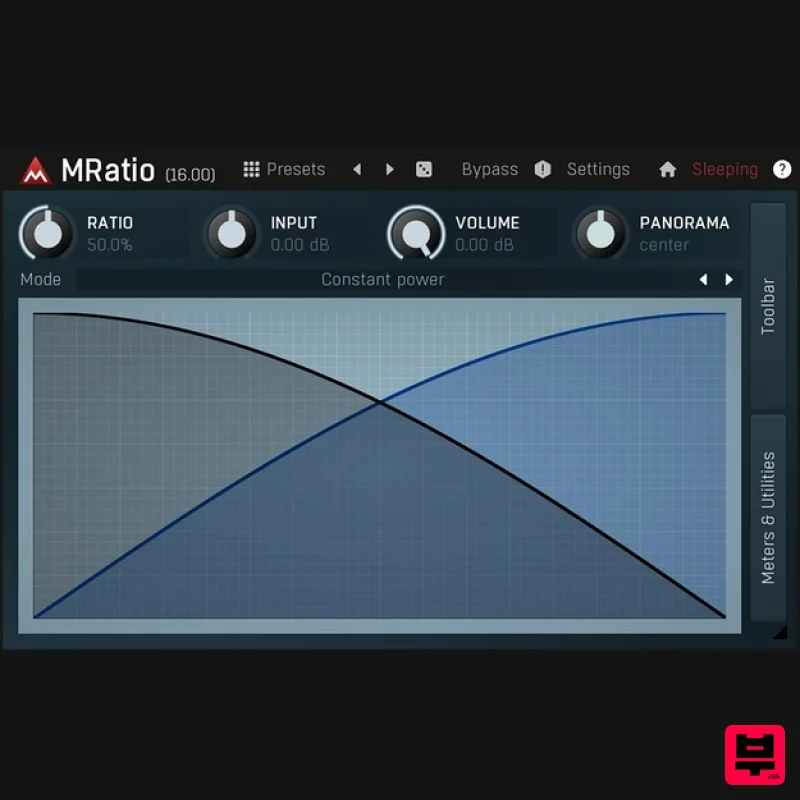
- MRatio is a single utility that lets you crossfade between the main input and sidechain. Its 2 modulators however open up a whole set of creative possibilities. Features The most advanced user interface on the market - stylable
- resizable
- GPU accelerated Unique visualisation engine with classic meters and time graphs 2 exceptionally versatile modulators Adjustable oscillator shape technology 2 multiparameters M/S
- single channel
- up to 8 channels surround processing... randomisation Automatic gain compensation (AGC) Safety limiter MIDI controllers with MIDI learn Extremely fast
- optimised for newest AVX processors Global preset management and online preset exchange Supports VST
- VST3
- AU and AAX interfaces on Windows & Mac No dongle nor internet access is required for activation Free-for-life updates System Requirements Windows Windows 8 / 10 / 11 (64-bit) VST / VST3 / AAX compatible host (64-bit) Intel/AMD processor with SSE2 support macOS macOS 10.14 and newer (64-bit) VST / VST3 / AU / AAX compatible host Intel/AMD/M1 processor with SSE2 support Native Apple Silicon ARM CPU support Note: Please check your product PDF documentation for more information and installation instructions. Registration 1. Go to your User Account and click 'DOWNLOAD'. This will redirect you to the MeldaProduction login page. 2. If you already have an account enter your details and click 'Sign in' and skip to step 4. If not
- please create an account: 3. Enter your details > click 'I accept your privacy policy' > click the reCAPTCHA to prove you are a human > click 'Create account'. 4. You will now be redirected to the Redeem page > enter the license key (listed as 'Serial Number') found in your Plugin Boutique User Account > click 'Submit key'. 5. You will now be redirected to your account. Mac Installation (Please scroll down for Windows Installation) 1. Click 'Download' by the product name to download your license file to activate your plugin. 2. At the top of the page click 'Downloads'. This will redirect you to the MAudioPlugins Installer page. 3. Please click 'Download (Mac)' to download the MAudioPlugins installer. 4. Choose the location you want the installer to be downloaded to > click 'Save. 5. Click 'Open'. 6. Enter your Password > click 'OK'. 7. Once the installer has opened
- click 'Next >' 8. Click 'I agree to the licence terms.' > click 'Next >'. 9. Select which Plugin formats you wish to install > click 'Next >'. (If you do not know which format to install
- click HERE). 10. Select which product you have purchased and wish to install > click 'Next >'. 11. Choose where you would like to install the directories (we recommend leaving it at the default location) > click 'Next >'. 12. Click 'Next >'. 13. Click 'Next >'. Activation 1. Open your new plugin in your DAW > simply drag and drop the license file into the plugin OR Click 'Settings & Activation'. 2. Click 'Activate'. 3. Locate the licence file you downloaded earlier > select it > click 'Ok'. 4. Make sure the information is correct > click 'Yes'. Your software has now been successfully installed and activated. Windows Installation 1. Click 'Download' by the product name to download your license file. 2. At the top of the page click 'Downloads'. This will redirect you to the MAudioPlugins Installer page. 3. Please click 'Download (Win)' to download the MAudioPlugins installer. 4. Open the download > click 'Yes'. 5. Once the installer has opened
- click 'Next >'. 6. Click 'I agree to the licence terms.' > click 'Next >'. 7. Select which Plugin formats you wish to install > click 'Next >'. (If you do not know which format to install
- click HERE). 8. Select which product you have purchased and wish to install > click 'Next >'. 9. Choose where you would like to install the directories (we recommend leaving it at the default location) > click 'Next >'. 10. Click 'Next >'. 11. Click 'Next >'. Activation 1. Open your new plugin in your DAW > simply drag and drop the license file into the plugin OR Click 'Settings & Activation'. 2. Click 'Activate'. 3. Locate the licence file you downloaded earlier > select it > click 'Ok'. 4. Make sure the information is correct > click 'Yes'. Your software has now been successfully installed and activated.
Additional Information
About the MeldaProduction MRatio
Experience the quality and tone that makes the MeldaProduction MRatio a popular choice for musicians.
Why Choose the MeldaProduction MRatio?
- •Authentic MeldaProduction craftsmanship and design
- •Versatile sound suitable for multiple musical genres
- •Professional build quality and reliable performance
- •Part of MeldaProduction's respected Utility lineup
Compare & Explore
Browse our complete selection of MeldaProduction instruments or explore other Utility options. Use our comparison tools to find the perfect match for your musical style and budget.
Similar Products

Audible Genius Building Blocks 1
Utility

Tonalic Tonalic Arranger - 30 Day Subscription
Utility

Blue Cat Audio Blue Cat's Connector
Utility

Audible Genius Building Blocks 2
Utility

Soundspear Luxor
Utility

Acoustica Spin It Again
Utility

Inphonik RX950
Utility

DDMF TheStrip
Utility

