
Keepforest Evolution: Devastator Breakout Pro
Professional music gear - detailed information and where to buy
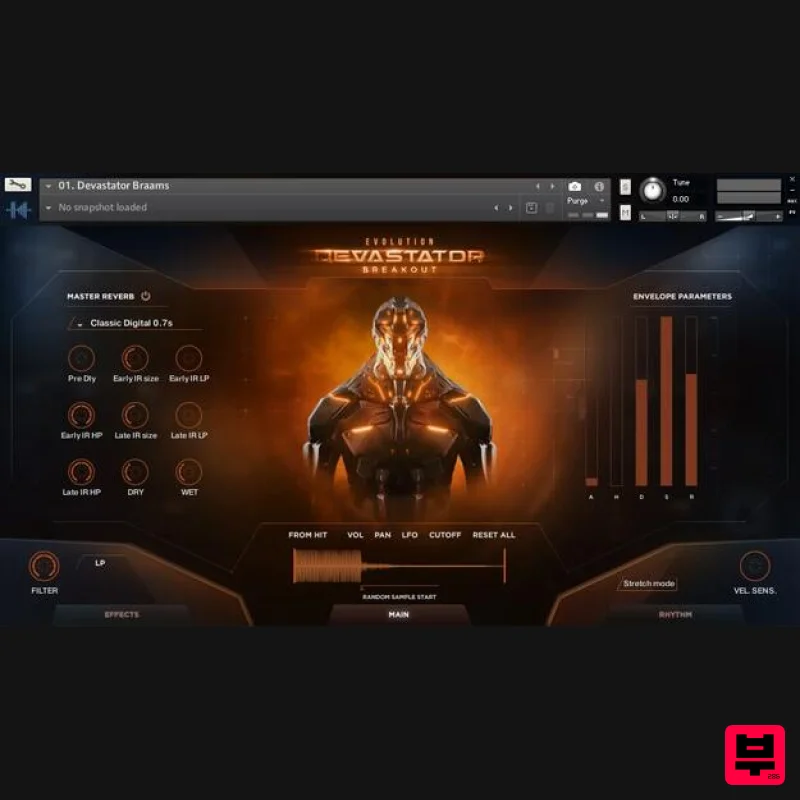
Keepforest
Evolution: Devastator Breakout Pro
Product Info
* Prices may vary. Check retailer for current pricing and availability.
Product Description
- The latest installment of the groundbreaking KeepForest Evolution series returns with an astounding new library: Evolution: Devastator Breakout. Back with a fresh perspective
- this time focusing on deeply textured and visceral bass sounds
- hellish braams and intimidating
- distorted leads. Looking deep into the modern and often violent sound design of current video games and movies to create sonics that tear through your mix and demand your audiences’ attention. Amongst Evolution: Devastator Breakout’sthousands of sounds
- you will also find breathtaking percussion and drum sounds
- fully playable instruments
- dynamic tick-tock layers
- thumping pulse sounds
- staggering signature sounds
- one shots
- gun handlings
- artist stems
- cinematic loops and more. This library is the tool you need to keep your productions ahead of the curve in contemporary film and video game composition. Features 105 patches into 15 categories 2300+ WAV Files 900+ Loops Samples XY Morphing Engine for flexible control under sound design with all samples integrated. 63 Kits presets each with 7 Scene Presets 1300+ Hand Crafted Sound Design WAV Samples System Requirements Kontakt 6.6.1 or newer (Compatible with the FREE Kontakt Player) Please Note: This product works with the FREE Kontakt Player. Notes: Keepforest Ferrum is used as the example. You must have an internet connection to complete this installation. You can download the FREE Kontakt Player from Native Instruments here. 1. Download the Library from within your Plugin Boutique User Account to wherever you keep your Kontakt instruments Note: You will need this location in Step 8. 2. Register with Native Instruments and download Native Access HERE > Install Native Access. 3. Open Native Access and log in. 4. Click 'Add a Serial' in the top left-hand corner. 5. Paste your serial from your Plugin Boutique User Account > Click 'Add Serial'. 6. Click 'View Products Not Installed'. 7. Navigate to your Registered Library > Click 'Add Library'. 8. Locate your downloaded Kontakt Library from Step 1 > Click 'Install'. 9. Open Kontakt and navigate to your installed library > Double-click any .nki file to open. Your software is now activated and ready to use!
Additional Information
About the Keepforest Evolution: Devastator Breakout Pro
The Keepforest Evolution: Devastator Breakout Pro represents excellent craftsmanship in the Kontakt Instrument category.
Why Choose the Keepforest Evolution: Devastator Breakout Pro?
- •Authentic Keepforest craftsmanship and design
- •Versatile sound suitable for multiple musical genres
- •Professional build quality and reliable performance
- •Part of Keepforest's respected Kontakt Instrument lineup
Compare & Explore
Browse our complete selection of Keepforest instruments or explore other Kontakt Instrument options. Use our comparison tools to find the perfect match for your musical style and budget.
Similar Products

Aria Sounds Hybrichord
Kontakt Instrument

Ecliptiq Audio Hexa Rhythm Designer
Kontakt Instrument

HD Instruments ZoneMatrix
Kontakt Instrument

Audiofier Aerkord
Kontakt Instrument

DoubleBang Software Plugged
Kontakt Instrument

Rigid Audio Retrocade
Kontakt Instrument

Audiofier Sequi2r EX
Kontakt Instrument

The Beat House LE HITS THE ESSENTIALS
Kontakt Instrument

