
Karanyi Sounds Vapor Keys 2 for Kontakt
Professional music gear - detailed information and where to buy
Karanyi Sounds
Vapor Keys 2 for Kontakt
Product Info
* Prices may vary. Check retailer for current pricing and availability.
Product Description
- W e l c o m e t o V i c e C i t y 2021(ねアワ) Remember those shiny
- glitchy
- vintage sounds and waving synthesizer beds from the 90s TV ads and videogames? Or the melting themes from movies like Miami Vice
- Beverly Hills
- or GTA Vice City? Well
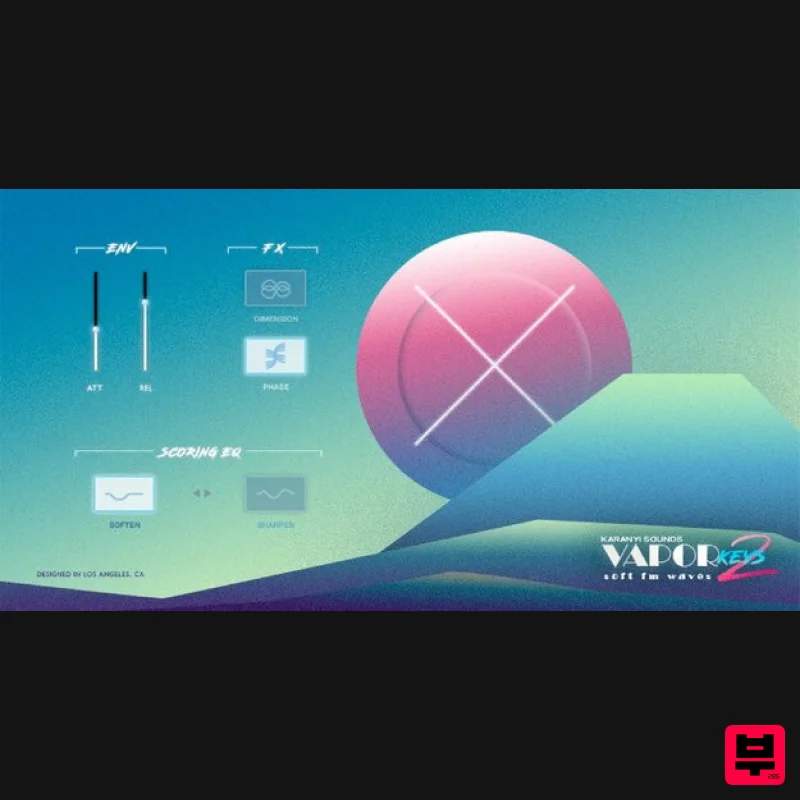
- Vapor Keys 2 instantly brings you back in time: a unique Kontakt 6 collection of carefully recorded FM and analogue classics. Taste the luxury of the 90s. The Discreet Charm of the VHS Vapor Keys 2 follows its ancestor concept (like DX and Vapor Keys 1): creating great-sounding patches in seconds! Teleport you thirty years back in time to get a super authentic 90s synth sound. Or you could say back to the future? Because this instrument collection is designed to be fresh and unique for modern music productions
- especially hip hop
- trap
- glitch hop
- lo-fi
- vaporwave
- or house music. Sonic Supercharge Karanyi Sounds crafted highly usable patches and sampled four amazing FM
- and analogue gear to bring you this exciting instrument collection. Used only completely analogue signal path with stellar sampling quality: recorded in 96kHz
- 24bit & converted for Kontakt 6 to 48kHz. Features 90+ Factory presets Sounds from 5 classic synths (Super JV
- Juno 106
- JX & 8P & Yamaha DX11) 4 Easy-to-Access FX (2 EQ
- Phaser & Chorus) Recorded in 96kHz
- 24bit (converted to 48kHz
- 24bit for Kontakt 6) 1.6 GB total size (3.1 GB uncompressed) System Requirements Mac OS X 10.11 or higher is recommended Windows 7 or higher 4 GB of RAM
- 8 GB is recommended Kontakt 6.2.2 or higher (Free Kontakt Player is NOT supported) 64-bit DAW is recommended for optimized performance Important Notes: The FULL Version of Kontakt 6.2.2+ is required in order to use this instrument. You will be stuck in DEMO MODE if trying to use this instrument in the FREE Kontakt Player. Note: Karanyi Synths 1 DX is used as an example. Mac & Windows Formats Important Note: This software requires the Full Version of Native Instruments Kontakt to be installed on your system. Please ensure you have purchased
- downloaded and installed Kontakt before attempting to install this product. Installation 1. Download the Kontakt Instrument from within your Plugin Boutique User Account. Be sure to remember the download location as you will need this when locating your Kontakt Library in step 3. 2. Open Kontakt
- either as a standalone application
- or as a plugin within your DAW. 3. Click the 'files' tab at the top of Kontakt > Navigate to the location of your downloaded Kontakt Library from step 1 of the installation instructions. 4. Double-click the 'Instruments' folder to open it within Kontakt. 5. Click and drag any .nki file from the left-hand window of Kontakt into the main window of Kontakt to load up a patch. Your software is now installed and ready to use.
Additional Information
About the Karanyi Sounds Vapor Keys 2 for Kontakt
Discover the distinctive sound and feel of the Karanyi Sounds Vapor Keys 2 for Kontakt, a standout choice among Kontakt Instrument.
Why Choose the Karanyi Sounds Vapor Keys 2 for Kontakt?
- •Authentic Karanyi Sounds craftsmanship and design
- •Versatile sound suitable for multiple musical genres
- •Professional build quality and reliable performance
- •Part of Karanyi Sounds's respected Kontakt Instrument lineup
Compare & Explore
Browse our complete selection of Karanyi Sounds instruments or explore other Kontakt Instrument options. Use our comparison tools to find the perfect match for your musical style and budget.
Similar Products

Ecliptiq Audio Hexa Rhythm Designer
Kontakt Instrument

Rigid Audio Retrocade
Kontakt Instrument

HD Instruments ZoneMatrix
Kontakt Instrument

Aria Sounds Hybrichord
Kontakt Instrument

The Beat House LE HITS THE ESSENTIALS
Kontakt Instrument

Audiofier Sequi2r EX
Kontakt Instrument

Audiofier Aerkord
Kontakt Instrument

DoubleBang Software Plugged
Kontakt Instrument

