
Imaginando DRC
Professional music gear - detailed information and where to buy
Imaginando
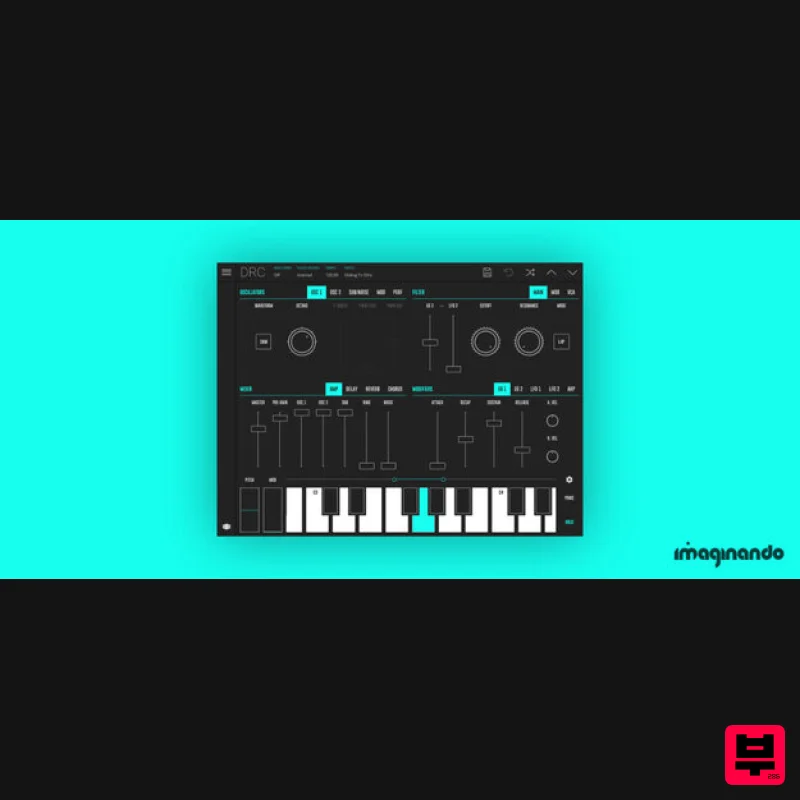
DRC - Polyphonic Synthesizer
Product Info
* Prices may vary. Check retailer for current pricing and availability.
Product Description
- Amazing
- warm analog sound DRC is a powerful virtual analog polyphonic synthesizer that recreates the characteristic sound of an analog synthesizer providing a minimal but powerful set of parameters
- for limited but incredible sonic capabilities. With the cloud preset sync technology
- DRC enables you to sync patches across devices effortlessly. With this powerful feature
- you can seamlessly start the creative process on one device and continue on another. Powerful and portable: DRC uses the exact same synthesis engine on all platforms for a consistent
- high-quality sound Vintage sound
- modern design: With a clean
- minimal design focused on accessibility
- the intuitive interface allows you to concentrate on creativity and control of your sound Sound design
- anytime: With cloud sync functionality
- you can seamlessly shift your workflow between devices
- for sound design on the go. Take your creations outside of the studio
- or start a new sound on your mobile then move it to your DAW Lush effects processing: Transforming simple waveforms into rich
- lush soundscapes bursting with harmonics
- effects processing is the sonic source of DRC's soul Includes 6 soundbanks with more than 600 presets: ‘Factory’
- ‘Factory Expansion’
- ‘Sounds From Outer Space’
- ‘Iconic Sounds Vol. 1’ and ‘Iconic Sounds Vol. 2’
- ‘Iconic Sounds Vol. 3’ and ‘Constellations Toolkit’ Up to 5 computers per license Features Up to 8 voices Two main oscillators
- one sub-oscillator and one noise source Detune
- sync and ring modulation 4 pole self-resonant low pass Ladder Filter 2 pole multi-mode filter (LP
- NOTCH) 2 LFOs and 2 analog modeled envelope generators Stereo Tape Delay with time modulation Lush Stereo Reverb with modulation and self-growing decay True stereo
- analog modelled multi mode chorus Arpeggiator with 4 modes
- tempo sync and hold function Sync to external MIDI clock MIDI clock out Audiobus Compatible Ableton Link Compatible Lifetime Free Updates System Requirements Mac OS Mac OS 12 or higher Compatible 64 bit host DAW which supports VST3
- AU plugin format Minimum of 256 Mb of free disk space to install Product licence activation requires internet connection Windows Windows 10 or higher Compatible 64 bit host DAW which supports VST3 plugin format Minimum of 256 Mb of free disk space to install Product licence activation requires internet connection Ask Audio "It’s been two years since Imaginando broke onto the scene with their innovative Ableton Live and Traktor iOS controller apps. And now it’s time to celebrate…!" Music Radar "The app
- developed by Imaginando
- is a feature-rich virtual synth which delivers up to eight voices with two oscillators
- one sub-oscillator and one noise source." Keyboard Magazine "Handy subtractive synth with Cloud-based preset storage...I look forward to seeing more from this company
- as they definitely have a clear vision for the future." Imaginando Account Setup 1. Click 'Download' in your Plugin Boutique User Account or navigate to https: //dashboard.imaginando.pt/auth/signup > Enter your details then click 'register'. 2. Navigate to your email inbox > Locate the confirmation email > Copy the registration code and return to the previous screen. 3. Paste the previously copied code > Click 'confirm'. 4. Your Imaginando account has been created > Click 'dashboard'. 5. Scroll down to VS > Click 'Download'. 6. Download the relevant installer. Mac Installation & Activation 1. Launch the downloaded .dmg installer. 2. Double click the VS.pkg to open the installer. 3. Click 'Continue'. 4. Click 'Install'. 5. Enter your system password > Click 'Install Software'. 6. Click 'Close'. 7. VS will now launch > Click 'Login to activate'. 8. Click 'Profile' > Enter your Imaginando account details > Click 'Login'. 9. Click on the 'License Status' box > Type in your serial number found in your Plugin Boutique User Account > Click 'Ok'. Your software is now installed
- activated and ready to use. Windows Installation & Activation 1. Launch the downloaded .exe installer. 2. Click 'Next'. 3. Click 'Next'. 4. Click 'Next'. 5. Click 'Install'. 6. Click 'Finish'. 7. VS will now launch > Click 'Login to activate'. 8. Click 'Profile' > Enter your Imaginando account details > Click 'Login'. 9. Click on the 'License Status' box > Type in your serial number found in your Plugin Boutique User Account > Click 'Ok'. Your software is now installed
- activated and ready to use.
Additional Information
About the Imaginando DRC - Polyphonic Synthesizer
Discover the distinctive sound and feel of the Imaginando DRC - Polyphonic Synthesizer, a standout choice among Synth.
Why Choose the Imaginando DRC - Polyphonic Synthesizer?
- •Authentic Imaginando craftsmanship and design
- •Versatile sound suitable for multiple musical genres
- •Professional build quality and reliable performance
- •Part of Imaginando's respected Synth lineup
Compare & Explore
Browse our complete selection of Imaginando instruments or explore other Synth options. Use our comparison tools to find the perfect match for your musical style and budget.
Similar Products

discoDSP OPL
Synth

Reflekt Audio Xonex
Synth

discoDSP Discovery Pro
Synth

ThaLoops Templetone
Synth

discoDSP Discovery
Synth

AngelicVibes ELITE PIANIST
Synth

Thenatan Audio Poizen VST
Synth

discoDSP OB-Xd
Synth

