
Heavyocity AEON Collection
Professional music gear - detailed information and where to buy
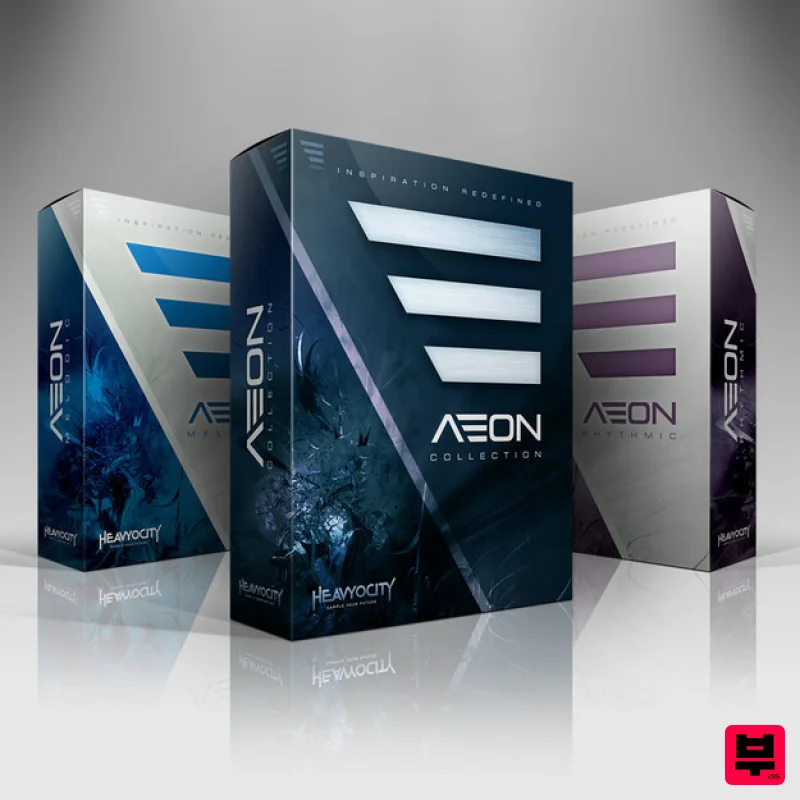
Heavyocity
AEON Collection
Product Info
* Prices may vary. Check retailer for current pricing and availability.
Product Description
- The AEON Collection delivers over 720 presets with 27 GB (14GB on disk) of organic and synth Melodic Instruments
- cutting-edge Loops
- Arpeggiated Instruments and epic One-Shots. This unique collection combines traditional
- ethnic
- and orchestral instruments with searing synths and edgy samples
- all created with Heavyocity’s signature quality. Create lush melodies
- dark lyrical phrases and devastating synth and bass lines directly within a deeply customized user interface. Also be sure to get both The AEON 'Melodic' and 'Rhythmic' component either as a bundle to the AEON Collection or separately. The AEON Collection is available as a download only. (AEON also runs in the free KONTAKT 5 Player or in KONTAKT 5) AEON Melodic From Lyrical and expressive to dark and aggressive
- AEON Melodic gives you 25 GB (12.86GB on disk) of organic and synth melodic instruments
- arpeggiated instruments and epic One-Shots. This unique collection combines traditional
- ethnic
- and orchestral instruments with searing synths and edgy samples
- all created with Heavyocity's signature quality. AEON's Melodic component provides 315 presets and 9
- 800+ samples of playable instruments in a deeply customizable interface. This vast collection is comprised of traditional instruments
- unique ensembles
- aggressive analog synths
- hybrid presets
- and signature “AEON HITS”. Quickly create motifs or build intricate rhythmic patterns with your own melodies in the custom Arpeggiator. Redefine your sound with AEON's Advanced Trigger FX
- Arpeggiator
- and deep modulation controls. AEON Rhythmic From pristine and expressive to dark and aggressive
- AEON Rhythmic delivers 400+ presets of pure inspiration
- melding super-fat analog synths with expressive organic instruments into a breathtaking electro-organic collection of cutting edge loops. This unique collection combines traditional
- ethnic
- and orchestral instruments with searing synths and edgy samples
- all created with Heavyocity's signature quality. AEON Rhythmic delivers 315+ tempo-synced melodic loops arranged in menu-style suites and single loop presets. Create intricate melodic grooves by layering loops in the menu suites. Re-compose any single loop by re-arranging its slices via midi drag-and-drop or the signature "Loop Mutator". This groundbreaking new feature enables you to sequence and re-arrange the playback of looped material in previously unimaginable ways. For AEON
- Heavyocity captured true analog fatness from a combination of modular analog synth rigs. Carefully crafted
- tuned
- and tracked
- these sounds range from serene to horrifically aggressive. Features 14 GB (compressed) Available as direct download only 10
- 100+ samples
- 48kHz/24-Bit 725+ NKIs AEON Melodic 130+ Organic Presets 160+ Synth and Hybrid Presets 39 Signature AEON Hits AEON Rhythmic 9 Tonal Loop Menus 315 Single Loop Presets 46 Loop ARP Presets 43 Three Loop Combo Presets Distortion
- Modulation
- Delay
- Reverb
- ADSR
- Filter
- and LFO controls Advanced Trigger FXTM performance controls Advanced Arpeggiator (AEON Melodic) Loop Mutator (AEON Rhythmic) Stand-alone
- AAX System Requirements Powered by the Kontakt Engine Kontakt 5 (Player) ver 5.5.1.451 or higher
- NKS compatible Mac: OS X 10.10
- Intel Core Duo
- 4 GB RAM PC: Windows 7 (latest Service Pack
- 32/64 Bit
- Intel Core Duo or AMD Athlon 64
- 2GB RAM Awards Pan-Pot 'Wow
- what an amazing instrument! AEON takes working with samples
- FX and modulation to another level.' Angelo Badalamenti 'AEON offers a tremendous new palette of sounds and inspiration for modern scoring.' Robert Dietz 'Heavyocity does it again! AEON is perfect for building melodic textures and beefy motifs
- quickly and efficiently. The sonic possibilites are endless.' Notes: This product requires a Native Instruments Account and a free copy of Native Instruments Kontakt Player
- which you can download here. NOVO Essentials is used as the example. Mac Registration 1. Visit https: //heavyocity.com/my-account/ and fill out the account registration form > Click 'Register'. Installation 1. Download the Heavyocity Product Portal Installer from within your Plugin Boutique User Account 2. Double-click the .pkg file to begin the installation > Click 'Continue'. 3. Click 'Continue'. 4. Click 'Agree'. 5. Click 'Install'. 6. Enter your computer Username and Password > Click 'Install Software'. 7. Click 'Close'. 8. Open the Heavyocity Portal and enter your Heavyocity-registered Username (Email Address) and Password > Click 'Login'. 9. Click 'Register Now'
- located at the bottom of the Product Portal. 10. Complete the form and enter the serial number found in your Plugin Boutique User Account > Click 'Register'. 11. Click 'Install' on the far right of the portal. 12. Select an installation location for your Heavyocity product > Click 'Install'. Activation 1. Log in to Native Access. 2. Click 'Add a serial' in the top left corner of Native Access. 3. Enter the serial number found in your Plugin Boutique User Account > Click 'Add Serial'. 4. Click 'Close'. 5. Click the 'Not Installed' tab on the left-hand side of Native Access. 6. Locate NOVO Essentials > Click 'Add Library'. 7. Click 'browse' and locate the recently installed product > Click 'Install'. Your product is now activated and ready to use. Windows Registration 1. Visit https: //heavyocity.com/my-account/ and fill out the account registration form > Click 'Register'. Installation 1. Download the Heavyocity Product Portal Installer from within your Plugin Boutique User Account > Double-click the .zip file to extract the contents. 2. Double-click the .exe file to begin the installation > Click 'Next'. 3. Select 'I accept the terms in the license agreement' > Click 'Next'. 4. Click 'Next'. 5. Click 'Install'. 6. Click 'Finish'. 7. Enter your Heavyocity-registered Username (Email Address) and Password > Click 'Login'. 8. Click 'Register Now'
- located at the bottom of the Product Portal. 9. Complete the form and enter the serial number found in your Plugin Boutique User Account > Click 'Register'. 10. Click 'Install' on the far right of the portal. 11. Select the installation location for your Heavyocity product > Click 'Ok'. 12. Click 'Install'. Activation 1. Log in to Native Access. 2. Click 'Add a serial' in the top left corner of Native Access. 3. Enter the serial number found in your Plugin Boutique User Account > Click 'Add Serial'. 4. Click 'Close'. 5. Click the 'Not Installed' tab on the left-hand side of Native Access. 6. Locate NOVO Essentials > Click 'Add Library'. 7. Click 'browse' and locate the recently installed product > Click 'Install'. Your product is now activated and ready to use.
Additional Information
About the Heavyocity AEON Collection
Experience the quality and tone that makes the Heavyocity AEON Collection a popular choice for musicians.
Why Choose the Heavyocity AEON Collection?
- •Authentic Heavyocity craftsmanship and design
- •Versatile sound suitable for multiple musical genres
- •Professional build quality and reliable performance
- •Part of Heavyocity's respected Kontakt Instrument lineup
Compare & Explore
Browse our complete selection of Heavyocity instruments or explore other Kontakt Instrument options. Use our comparison tools to find the perfect match for your musical style and budget.
Similar Products

The Beat House LE HITS THE ESSENTIALS
Kontakt Instrument

DoubleBang Software Plugged
Kontakt Instrument

Audiofier Aerkord
Kontakt Instrument

Aria Sounds Hybrichord
Kontakt Instrument

Rigid Audio Retrocade
Kontakt Instrument

Audiofier Sequi2r EX
Kontakt Instrument

Ecliptiq Audio Hexa Rhythm Designer
Kontakt Instrument

HD Instruments ZoneMatrix
Kontakt Instrument

