
dSONIQ Realphones 2 Professional
Professional music gear - detailed information and where to buy
dSONIQ
Realphones 2 Professional
Product Info
* Prices may vary. Check retailer for current pricing and availability.
Product Description
- Important Note: Customers who purchased the old version 1 equivalent Realphones (Lite
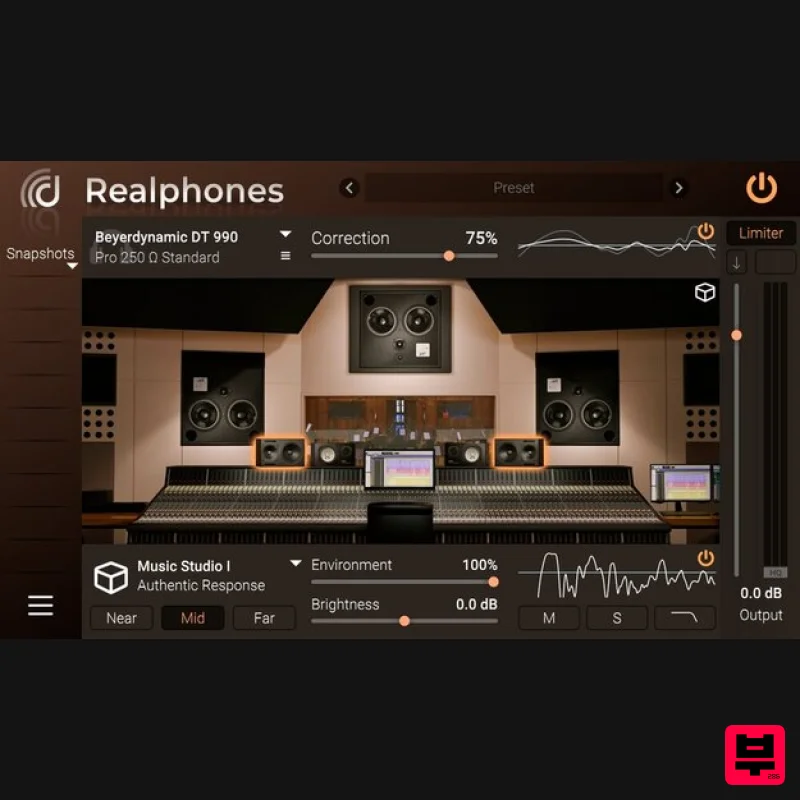
- or Ultimate) can upgrade for FREE if they purchased after 1st Jan 2022. Please contact [email protected]. All You Need for Mixing with Headphones Important Note: This is the Realphones 2 Professional Pack. The following versions are also available: Realphones 2 Ultimate Pack Realphones 2 Standard Pack With Realphones You Can: Correct the frequency response of your headphones. Emulate a studio control room with professional near- and far-field monitoring. Use binaural virtual positioning based on HRTF. Simulate the frequency response of professional and home/consumer audio reproduction systems. Monitor the spatial and frequency components of the mix. What’s New in Version 2.0? Editions have been changed and their contents have been changed Updated sound engine Updated room emulation technology Added custom calibration profiles (Only Professional and Ultimate Editions) Added tuning EQ for standard correction profiles (Only Professional and Ultimate Editions) Added MIDI control support for Realphones System-Wide Added Thru Out for multichannel audio interfaces for Realphones System-Wide Snapshots are now draggable Full native Apple Silicon support Stability improvements Updated GUI color themes Other minor enhancements New Emulations Studios: Studio 21A
- Cinelab
- dSONIQ Lab Studio
- and an updated emulation of Music Studio Devices: laptops
- Bluetooth speakers Cars: Korean H Car Slrs 2016
- German B Car 520 2014 Environments: Home studio
- bedrooms
- public places
- and concert halls Other Changes Sound engine update Improved overall sound quality Updated room emulation technology Сustom calibration profiles Standard correction profiles tuning Midi-control support Expanded capabilities of the System-Wide application: now you can send an unprocessed signal to monitors and a processed signal to headphones (this feature works only with audio interfaces that allow separate routing for headphone output). Now it’s possible to save your own initial configuration Full native Apple Silicon support Stability improvements Updated GUI color themes Other minor enhancements Most have experienced that headphone mixes sound poor in a recording studio
- on home speakers
- and in other places. This happens because the timber
- width and space in headphones don't sound the same as on speakers. dSONIQ Realphones software corrects the sound of your headphones and brings the acoustics of a professional recording studio
- night club and car into them. With Realphones
- your headphones turn into a reliable monitoring tool for mixing tracks that you can trust. How Does Realphones Technology Work? Headphone Frequency Response Correction Through extensive research since 2015
- dSONIQ created an advanced multi-stage technology that achieves highly accurate headphone measurements. The results are as close as possible to what a person hears in reality. Realphones headphone frequency response correction allows you to hear a linear sound with minimal unwanted colouration. Currently
- Realphones supports about 200 headphone models
- and dSONIQ are constantly working to expand this list - https: //dsoniq.com/standard A Professional Studio Control Room in Your Headphones In a professional studio
- sound engineers use near
- and far-field monitors to get a clear idea of what's going on in the mix. Realphones emulates a real high-end large control room designed by American architect Tom Hidley and remodelled by British acoustician Roger d'Arcy. Night Club and Car Cabin for Mix-Checking Nightclubs are equipped with powerful subwoofers
- and they can reveal low-frequency issues that you might not even know when working on a track in the studio. Club emulation in Realphones will help you avoid typical mistakes associated with an excess of low frequencies and understand how well your track will "pump" in a club. It's a common habit for sound engineers to test mixes in their own cars. This allows them to look from a different point of view
- since good car speakers sound "fat" and "juicy"
- unlike neutral studio speakers. Also
- many people listen to music in the car and are used to that sound
- so it's never a bad idea to check out your mixes with Realphones car emulation. More Tools for Mix-Checking Modeling the sound of various models of professional monitors and consumer audio speakers. Check how your mix behaves under different listening conditions. How Does Realphones' Technology Work? Alignment of Headphone Frequency Response Peaks and dips lead to errors in timbre and musical balance and cause frequency masking. A more even response allows you to get a more reliable transfer of timbre and musical balance. Frequency response graphs of individual samples of six popular professional studio headphone models Frequency response grаphs of the same samples after Realphones Standard frequency correction was applied Virtual Acoustic Space Conventional Headphones' Stereo Reproduction Phone transducers are located close to the ears and are acoustically isolated from each other. Imaginary sound sources are spaced too widely and not joined into a solid soundstage The spectral balance between the centre and sides is disturbed An absence of room response leads to a dry and thin sound Binaural Angle Set to 60° Psychoacoustic virtual source placement matches the reproduction of a standard studio monitor setup. The representation of the mix and its components becomes solid. The level and frequency balance between the centre and sides is reconstructed. Proper localisation and interaction of the sound sources are necessary for creative work on the width and depth of the mix. Room Ambience Set to 100% The binaurally captured ambience of professional studio control rooms is added to the dry headphone sound. The mix is reproduced in the context of real room acoustics. The body
- transients and space of the mix are revealed. Room reflections provide points to tweak the levels
- equalisation
- space and effects for a better mix translation. Mix Testing Tools Realphones includes modelling of diverse sets of pro and consumer audio speakers so you can verify the behaviour of your mix across a wide range of simulated speakers. Also
- there are controls for various aspects of the stereo mix. Test mono compatibility
- left-right symmetry
- single-speaker playback and the side anti-phase component. How Can Realphones Benefit You Personally? Do you lack a suitable acoustically treated space? Do you have to work on mixing tracks at home
- in a room with terrible background noise and reverb
- and even professional monitors aren't enough to get the results you want? With the Realphones plugin
- the possibilities for mixing on headphones approach the conditions of a professional recording studio's control room. You'll be able to trust your monitoring
- making the mixing process much simpler. And your family and neighbours will no longer have to put up with intrusive sounds and loud music. If you have access to a professional audio studio
- you'll be able to use Realphones for supplementary monitoring in the studio
- and also as a primary tool for working on tracks outside it. In studios with unfamiliar acoustics
- you will always have access to the controls you're used to. Modes for emulating various audio devices help you determine how your mixes would sound on consumer speakers
- systems with a powerful subwoofer or portable devices
- without even getting up from your desk. Also if you are travelling a lot the Realphones plugin is ideal for working on mixes on the road and when travelling. All you need is the plugin
- headphones
- and a laptop. Realphones is honest monitoring that's easy to take on the go. Version Comparison Standard Pack Realphones plugin (VST / AU / AAX) Generic Headphone Profiles Only Professional Pack Realphones plugin (VST / AU / AAX) Generic Headphone Profiles + Set of 3 Standard Headphone Calibration Profiles Ultimate Pack Realphones plugin (VST / AU / AAX) Unlimited selection of standard headphone calibration profiles for all supported models Realphones Professional and Ultimate Supported Headphones (Realphones Lite Pack includes generic profiles only which are not related to specific models) Headphone Calibration Profiles: Adam Audio SP-5 AKG K44 AKG K52 AKG K66 AKG K72 AKG K77 AKG K92 AKG K99 AKG K121 Studio AKG K141 MKII AKG K182 new AKG K240 Monitor 600 Ohm AKG K240 MKII AKG K240 Studio AKG K271 MKII AKG K272HD AKG K361 AKG K371 AKG K500 AKG K514 MKII AKG K550 MKIII AKG K601 AKG K612 Pro AKG K701 AKG K702 AKG K712 Pro AKG K812 AKG K872 Apple EarPods Apple AirPods (gen 1
- 2) Apple AirPods Max Apple AirPods Pro Artesia AMH-122 Audeze LCD-1 Audeze LCD-2 Audeze LCD-2 Classic Audeze LCD-2 Classic Closed Audeze LCD-4z Audeze LCD-X Audeze LCD-X 2021 Audeze LCD-XC Audeze LCD-XC Carbon 2021 Audeze Sine Austrian Audio Hi-X55 Austrian Audio Hi-X65 Audio-Technica ATH-AVA400 Audio-Technica ATH-AVC500 Audio-Technica ATH-910 Pro Audio-Technica ATH-M20x Audio-Technica ATH-M30x Audio-Technica ATH-M35 Audio-Technica ATH-M40x Audio-Technica ATH-M50 Audio-Technica ATH-M50x Audio-Technica ATH-M70x Audio-Technica ATH-MSR7 Audio-Technica ATH-R70x Axelvox HD 241 Axelvox HD 242 Axelvox HD 271 Axelvox HD 272 Beyerdynamic Custom One Pro Beyerdynamic Custom Studio Beyerdynamic DT 150 Beyerdynamic DT 240 Pro Beyerdynamic DT 250 Beyerdynamic DT 250 80 Ohm Beyerdynamic DT 700 Pro X Beyerdynamic DT 770 Pro 32 Ohm Beyerdynamic DT 770 Pro 80 Ohm Beyerdynamic DT 770 Pro 250 Ohm Beyerdynamic DT 880 (32
- 600 Ohm
- Pro 250 Ohm
- Edition) Beyerdynamic DT 900 Pro X Beyerdynamic DT 990 Pro 250 Ohm Beyerdynamic DT 1770 Pro 250 Ohm Beyerdynamic DT 1990 Pro 250 Ohm Beyerdynamic T90 Blue Mo-Fi Bose QuietComfort 25 Bose QuietComfort 35 Bowers & Wilkins P9 Dan Clark Audio AEON 2 Noire Denon AH-D2000 Direct Sound Extreme Isolation EX-29 ESI eXtra 10 Etymotic ER2SE Etymotic ER2XR Etymotic ER3SE Etymotic ER3XR Etymotic ER4SR Etymotic ER4XR Fluid Audio Focus Focal Clear Professional Focal Clear MG Professional Focal Listen Professional Focal Spirit Professional Focal Utopia Focusrite Scarlett HP 60 (gen 1) Fostex T50RP Fostex T50RP mk2 Fostex T50RP mk3 Fostex T60RP HEDDPhone Hifiman HE400i Hifiman HE400S Hifiman HE-500 Hifiman Sundara HyperX Cloud Stinger ISK HD9999 ISK HF2010 ISK MDH8000 Koss Porta Pro Classic KRK KNS 6400 KRK KNS 8400 KZ ASX KZ ZS10 KZ ZS10 Pro M-Audio Q40 Mackie MC-250 Marshall Major II Marshall Mode Marshall Mode EQ Marshall Monitor Massdrop X Sennheiser HD58X Meze 99 Classics Neumann NDH 20 Oppo PM-3 Ollo Audio S4X Ollo Audio S4R Philips SBC HP200 PreSonus HD7 PreSonus HD9 Roland RH300 Samson SR850 Samson SR950 Sennheiser Momentum 2.0 Sennheiser HD6 Mix Sennheiser HD 25 Sennheiser HD 25-C II Sennheiser HD 26 Pro Sennheiser HD 200 Pro Sennheiser HD 205 Sennheiser HD 206 Sennheiser HD 215-II Sennheiser HD 280 Pro Sennheiser HD 300 Pro Sennheiser HD 380 Pro Sennheiser HD 400 Pro Sennheiser HD 535 Sennheiser HD 558 Sennheiser HD 559 Sennheiser HD 560 S Sennheiser HD 569 Sennheiser HD 580 Sennheiser HD 598 Sennheiser HD 599 Sennheiser HD 600 Sennheiser HD 650 Sennheiser HD 660 S Sennheiser HD 700 Sennheiser HD 800 Sennheiser HD 800 S Sennheiser HD 820 Shure SE215 Shure SRH240A Shure SRH440 Shure SRH840 Shure SRH940 Shure SRH1440 Shure SRH1540 Shure SRH1840 Snorry SI-1 mk2 Sony MDR-1A Sony MDR-7506 Sony MDR-7510 Sony MDR-7520 Sony MDR-Z7 Sony WH-1000XM3 Sony WH-1000XM4 Steven Slate Audio VSX Superlux HD-330 Superlux HD 660 Superlux HD 668B Superlux HD 681 Superlux HD 681B Tascam TH-06 Takstar HF 580 Takstar Pro 82 Technics RP-DJ1210 Telefunken THP-29 Ultrasone PRO 750 Verum Audio Verum 1 Yamaha HPH-MT5 Yamaha HPH-MT7 Yamaha HPH-MT8 System Requirements Mac Mac OS X 10.9 or later (Intel / M1 Apple Silicon supported) (64-bit only) VST
- VST3
- AU Windows Windows 7 and newer (32 or 64-bit) VST
- VST3 Henrik Tala "Now I can be totally sure that I can deliver the mix and it will sound the same anywhere the way I hear it in my headphones using dSONIQ Realphones. It's a must have thing if you produce in your headphones! Highly recommended!" Jens Gad "I fell in love with the sound right away. Now I literally don't check my mixes or produce without it. It's always on my masterbus from the moment I tested it. It's a real find for me!" TC Zhou "The sound I experienced from dSONIQ closely resembles what I'm accustomed to in my studio. Having never tried this type before
- the outcome exceeded my expectations
- delivering a more authentic and satisfactory sound
- leaving me with a positive impression." Important Note: Realphones Ultimate Pack is used as the example. Mac Redemption 1. Visit https://customer.dsoniq.com/redeem > Enter your Name
- Country
- E-Mail and Code (found in the serial number section of your Plugin Boutique Account) > Click 'Redeem' 2. dSONIQ will then send you log-in information to your email. 3. Check your email and click the 'Web Link' 4. Log-in using your E-Mail and the Password from the email that was sent by dSONIQ. 5. Download the macOS dSONIQ Realphones installer. Installation 1. Open the downloaded .dmg folder and click the .pkg file to run the installer. 2. Click 'Continue'. 3. Click 'Continue'. 4. Click 'Agree'. 5. Click 'Continue'. 6. Click 'Install'. 7. Click 'Continue Installation' 8. Click 'Restart'. 9. Click 'Move to Trash'. Activation 1. Open Realphones in your DAW or as a Standalone > Click 'Activate Online'. 2. Click 'Activate Purchased'. 3. Once you are redirected you your web browser
- enter your E-Mail address and Password > Click 'Login' 4. Click 'OK'. 5. Your Licence Status will now be set to active > Click 'Close'. Your software is now authorised and ready to use in your DAW or as a standalone. Windows Redemption 1. Visit https: //customer.dsoniq.com/redeem > Enter your Name
- Country
- E-Mail and Code (found in the serial number section of your Plugin Boutique Account) > Click 'Redeem' 2. dSONIQ will then send you log-in information to your email. 3. Check your email and click the 'Web Link' 4. Log-in using the User Name and Password from the email that was sent by dSONIQ. 5. Download the Windows dSONIQ Realphones installer. Installation 1. Open the downloaded .zip folder and click the .exe file to run the installer > Click 'OK'. 2. Select 'I accept the agreement' > Click 'Next'. 3. Click 'Next'. 4. Click 'Next'. 5. Click 'Install'. 6. Click 'Finish'. Activation 1. Open Realphones in your DAW or as a Standalone > Click 'Activate Online'. 2. Click 'Activate Purchased'. 3. Once you are redirected you your web browser
- enter your E-Mail address and Password > Click 'Login' 4. Click 'OK'. 5. Your Licence Status will now be set to active > Click 'Close'. Your software is now authorised and ready to use in your DAW or as a standalone.
Additional Information
About the dSONIQ Realphones 2 Professional
The dSONIQ Realphones 2 Professional represents excellent craftsmanship in the Referencing Tools category.
Why Choose the dSONIQ Realphones 2 Professional?
- •Authentic dSONIQ craftsmanship and design
- •Versatile sound suitable for multiple musical genres
- •Professional build quality and reliable performance
- •Part of dSONIQ's respected Referencing Tools lineup
Compare & Explore
Browse our complete selection of dSONIQ instruments or explore other Referencing Tools options. Use our comparison tools to find the perfect match for your musical style and budget.
Similar Products
Embody Immerse Virtual Studio | Audio-Technica
Referencing Tools
iZotope iZotope Audiolens
Referencing Tools
Sonarworks SoundID Reference Add-on for ORIA Mini
Referencing Tools
Sonarworks Sonarworks SoundID Reference
Referencing Tools
Sonarworks Virtual Monitoring Add-On for SoundID Reference
Referencing Tools
Embody Immerse Virtual Studio | All Access
Referencing Tools
Sonarworks SoundID Reference for Headphones
Referencing Tools
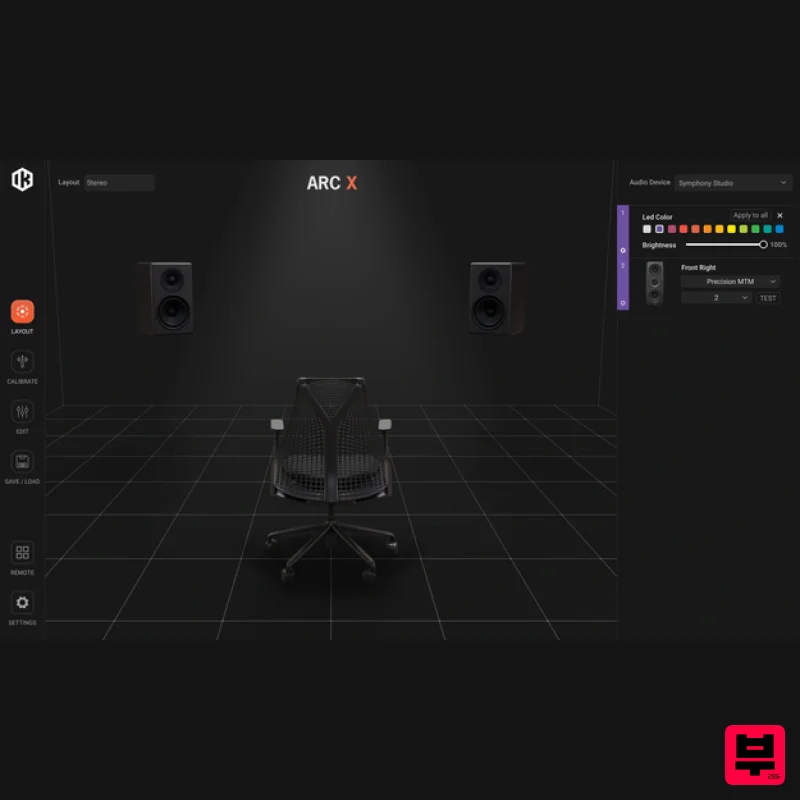
IK Multimedia ARC X
Referencing Tools

