
Cinesamples Artist Series
Professional music gear - detailed information and where to buy
Cinesamples
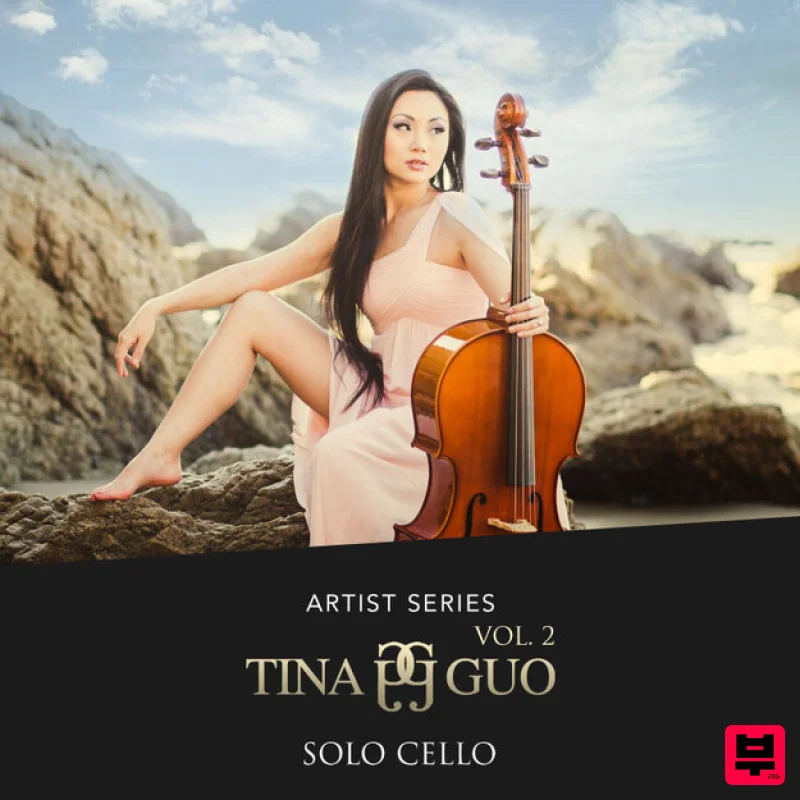
Artist Series - Tina Guo Vol 2
Product Info
* Prices may vary. Check retailer for current pricing and availability.
Product Description
- Tina Guo's Acoustic Cello Legato How is Tina Guo vol 2 different from Tina Guo Acoustic Cello Legato? The primary difference is playing style. Tina Guo Acoustic Cello Legato features a romantic
- espressivo style of playing that lends itself well to longer melodic lines. Tina Guo vol 2 allows for an agile
- more connected style of playing. Also
- faster playing naturally allows less time for vibrato on passing notes. Vol 2 also features more articulations not available in the original library. Otherwise
- Tina played the same instrument at the MGM Scoring Stage in Los Angeles
- recorded using same microphones as the original library. Cinesamples recreated the same mix as the original library as well as the desk mix from the Scoring Stage to keep the sounds consistent between the two libraries. For best results
- treat them as separate instruments
- rather than trying to use both in the same passage. Articulations Attack Overlay Selecting this adds a staccato attack overlay to the beginnings of sustains. Its volume is velocity dependent. They appear at higher velocities. The attack of sustains are also sensitive to velocity. Legato Selecting this allows monophonic voicing with recorded legato transitions. Unselected allows polyphonic sustain samples only. Legato transitions are sensitive to velocity. Bow Unselected
- this includes Tina's natural bow changes on sustained notes. Selected
- it allows you to extend the bow length as needed. Simply re-attack a note when you need a bow change on the same note. Release Volume This controls the volume of the note releases. If set too high
- it will sound like too much reverb and decay. A setting too low will give an unnatural sound to the legato transititons. Legato Speed (CC02) Higher settings allow for faster playing. Lower settings allow for slower playing and will reveal more of the recorded legato transition. Mod Wheel The Mod Wheel controls general dynamics. Other articulations include: Open Strings - sustains on the 4 open strings of the cello Sul Ponticello Harmonics Spiccato Marcato - an elongated espressivo-style short Vibrato Pizzicato For more articulations
- click on ARCO to reveal the drop down menu: Mini Phrases and Effects This patch contains a variety of cello effects and improvisation phrases in each key
- and major and minor modes. The RED keyswitches toggle between tonal and non-tonal samples. The GREEN keswitches select the tonal center of the tonal samples. The VIOLET keyswitches toggle between major and minor modes of the tonal samples. GRANULAR Instead of playing back the entire sample as recorded
- the GRANULAR button triggers a stream of "grains" or chunks of audio that begin playing from the playhead. The SPEED slider controls how quickly the playhead scrubs through the sample. The DENSITY slider controls how many grains are generated per second. Higher densities may result in CPU overload. The RANDOMIZE Slider randomizes the position of the playhead as well as the grains' panning and microtuning. Kontakt and NKS Integration Tina Guo vol 2 is scripted for Native Instruments' Native Kontrol Standard (NKS) format. System Requirements Requires Kontakt 5.6.8 and above (Works with both the FREE Kontakt Player and the paid
- full version of Kontakt v5.6.8+) Requires a minimum of 22GB free hard drive space during installation. Library size is approx. 11GB after installation Minimum 8GB RAM Recommended Kontakt 5.6.8 Minimum System Requirements Mac OS X 10.10 or higher (i5 CPU or higher) Windows 7
- Windows 8
- or Windows 10 (latest Service Pack
- 32/64-bit) Intel Core 2 Duo or AMD Athlon 64 X2 Kontakt 5.6.8 Supported Interfaces Mac OS X (64-bit only): Stand-alone
- AAX Windows (32/64-bit): Stand-alone
- AAX This instrument requires the FREE or FULL version of Kontakt 5.6.8+ Important note: Sonuscore Time Textures is used as an example as the process is identical for this product. Mac 1. Download the .dmg installer file from your Plugin Boutique account. 2. Double-click the .dmg file to install Native Access. 3. Open Native Access > Create a new Native ID if you do not have one already. If you do
- skip ahead to step 5. 4. You will then receive an email with a confirmation link > Open the email and click 'CONFIRM EMAIL'. 5. Log in to Native Access with your Native ID. 6. Click 'Add a serial' 7. Enter your Serial Number found in your Plugin Boutique account > Click 'ADD SERIAL'. 8. Click the 'Not installed' tab > Locate Time Textures > Click 'INSTALL'. 9. Time Textures is now installed on your system. 10. Open Kontakt in your DAW > You should see Time Textures on the left sidebar > Click the drop-down bar and drag the .nki file into the middle of the window. Your software is now ready to use in your DAW! Windows 1. Download the .zip installer file from your Plugin Boutique account. 2. Double-click the extracted .exe file to begin the installation process > click ‘Run’. 3. Read the welcome message > click 'Next'. 4. Click 'Next' to begin the installation. 5. Native Access has now been installed > Click 'Finish'. 6. Open Native Access > Create a new Native ID if you do not have one already. If you do
- skip ahead to step 8. 7. You will then receive an email with a confirmation link > Open the email and click 'CONFIRM EMAIL'. 8. Log in to Native Access with your Native ID. 9. Click 'Add a serial'. 10. Enter your Serial Number found in your Plugin Boutique account > Click 'ADD SERIAL'. 11. Click the 'Not installed' tab > Locate Time Textures > Click 'INSTALL'. 12. Your new Kontakt Instrument is now installed on your system. 13. Open Kontakt in your DAW > You should see Time Textures on the left sidebar > Click the drop-down bar and drag the .nki file into the middle of the window. Your software is now ready to use in your DAW!
Additional Information
About the Cinesamples Artist Series - Tina Guo Vol 2
Experience the quality and tone that makes the Cinesamples Artist Series - Tina Guo Vol 2 a popular choice for musicians.
Why Choose the Cinesamples Artist Series - Tina Guo Vol 2?
- •Authentic Cinesamples craftsmanship and design
- •Versatile sound suitable for multiple musical genres
- •Professional build quality and reliable performance
- •Part of Cinesamples's respected Kontakt Instrument lineup
Compare & Explore
Browse our complete selection of Cinesamples instruments or explore other Kontakt Instrument options. Use our comparison tools to find the perfect match for your musical style and budget.
Similar Products

Ecliptiq Audio Hexa Rhythm Designer
Kontakt Instrument

Aria Sounds Hybrichord
Kontakt Instrument

DoubleBang Software Plugged
Kontakt Instrument

Rigid Audio Retrocade
Kontakt Instrument

HD Instruments ZoneMatrix
Kontakt Instrument

Audiofier Aerkord
Kontakt Instrument

The Beat House LE HITS THE ESSENTIALS
Kontakt Instrument

Audiofier Sequi2r EX
Kontakt Instrument

