
Cinematique Instruments Korn Deluxe
Professional music gear - detailed information and where to buy
Cinematique Instruments
Korn Deluxe
Product Info
* Prices may vary. Check retailer for current pricing and availability.
Product Description
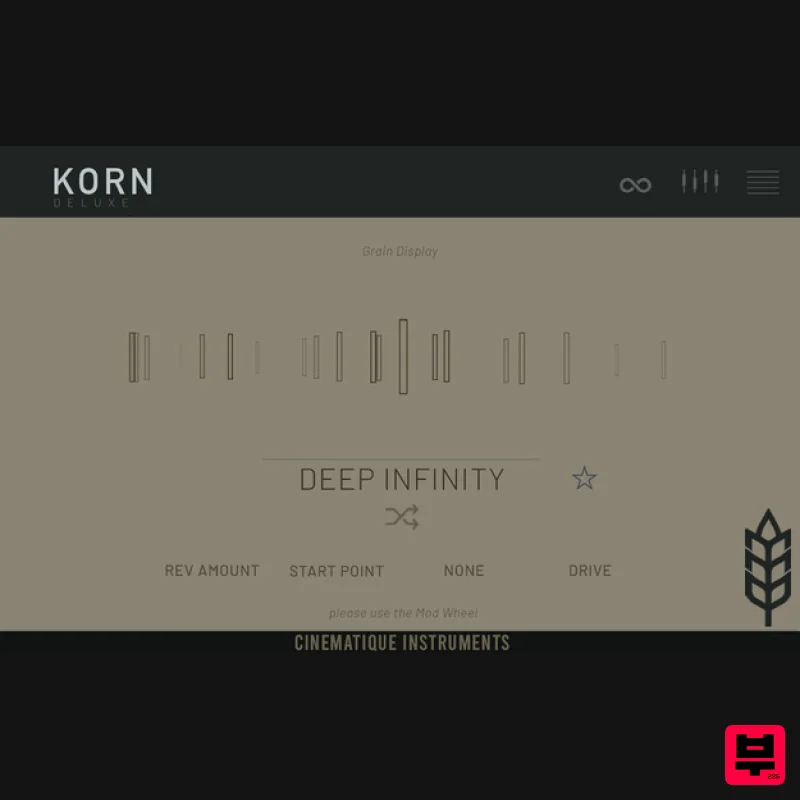
- Make A Cloud Out Of Your Own Sound Korn is a Granular Engine that delivers unique and inspiring results. It works as a sample-on-shot player as well as a looper and granular engine with beautiful cloud textures of up to 5 grains. As a source you can fall back on an included library of over 150 carefully selected samples from the complete CI library. But you can also simply throw your own samples onto Korn. Korn comes with over 200 presets from the Textures
- Clouds
- Pads
- Lead and Percussive / Rhythmic sections
- which already provide you with a very complex selection of possibilities. Korn also impresses with its ease of use. From the very beginning
- it was important to CI to push the complex nature of granular processing into the background and to give to select and use all tools in such a way that the work is simple and produces fast musical results. KORN IS A LOOPER
- A SAMPLER AND A GRANULAR PROCESSOR. It produces beautiful beautiful cloud textures
- deep pads
- interesting rhythmical pattern and much more. But the one character trait that everyone mentions is: IT'S SO INSPIRING. As a source for Korn you can fall back on an included library of over 150 carefully selected samples from the complete CI library. But surely you can also simply drop your own samples onto Korn. That is where the fun begins! But Korn comes also with over 200 presets from the Textures
- Clouds
- Pads
- Lead and Percussive / Rhythmic sections
- which already provide you with a very complex selection of possibilities. Sampler
- Looper
- Granular? As a Sampler
- Korn works as a one-shot machine. The starting point
- the root key and the playback direction can be set. It becomes more complex if you use Korn as a Granular Processor: In the simplest version
- you work with only one grain and without start point variation. This then corresponds to an original looper. The tempo is set using the gap/grain length slider. There are 3 different tempo types available here: FREE (off)
- SYN (host-synced) and AL (random pauses) If you want to get even more complex and perhaps create cloud-like textures or pads
- you should increase the starting point variation and use the many other options that Korn offers. The number of grains can be increased to up to 5. Each grain can be adjusted separately in pitch and playing direction. Another important parameter is the grain envelope Grains: In order to remain flexible here
- CI offer attack
- decay and release separately. The FX section To merge all the grains together in a cloud
- there are 3 different FX tools available: a normal delay and a reverb and the Blur effect
- which is actually nothing more than a delay chain consisting of 4 different delays. Chorus
- Wow / Flutter and a distortion are available for sound shaping. If you increase the chorus
- the grains are automatically and randomly stretched. The modwheel modulation slots It is important to mention that the main page offers the possibility to modulate almost all parameters via the modwheel. The additional Wavetable Synth And finally
- Korn offers a fully-fledged wavetable synth as a kind of additive sound source. If the granular result is too atonal for you or if you are missing certain frequencies or sounds
- you can simply supplement them with the appropriate wavetable setting.This function rounds off the complete Korn concept and
- as mentioned above
- delivers unique and inspiring results. System Requirements The FULL Version of Kontakt 7.x+ or higher is required. Approx. 600MB of Hard Disk Space Important Notes: The FULL Version of Kontakt 7.x+ is required in order to use this instrument. You will be stuck in DEMO MODE if trying to use this instrument in the FREE Kontakt Player. Mociula is used as the example: 1. Download the software folder from your User Account. 2. Unzip and extract the folder within and save it to a computer destination/folder of choice. 3. Launch Kontakt and click 'Browse' > Select 'Files
- ' which is located at the top left hand corner of Kontakt's interface. 4. Locate the instrument folder from the computer destination/folder that you saved it to > Select the Instruments sub-folder. 5. Once you locate the instrument.nki file
- drag and drop it into the blank space which is available on the right hand side of Kontakt's interface. 6. Your instrument is now loaded into Kontakt and ready-to-use!
Additional Information
About the Cinematique Instruments Korn Deluxe
The Cinematique Instruments Korn Deluxe combines traditional design with modern performance for Kontakt Instrument enthusiasts.
Why Choose the Cinematique Instruments Korn Deluxe?
- •Authentic Cinematique Instruments craftsmanship and design
- •Versatile sound suitable for multiple musical genres
- •Professional build quality and reliable performance
- •Part of Cinematique Instruments's respected Kontakt Instrument lineup
Compare & Explore
Browse our complete selection of Cinematique Instruments instruments or explore other Kontakt Instrument options. Use our comparison tools to find the perfect match for your musical style and budget.
Similar Products

The Beat House LE HITS THE ESSENTIALS
Kontakt Instrument

DoubleBang Software Plugged
Kontakt Instrument

HD Instruments ZoneMatrix
Kontakt Instrument

Rigid Audio Retrocade
Kontakt Instrument

Aria Sounds Hybrichord
Kontakt Instrument

Audiofier Aerkord
Kontakt Instrument

Audiofier Sequi2r EX
Kontakt Instrument

Ecliptiq Audio Hexa Rhythm Designer
Kontakt Instrument

