
Cinematique Instruments Guitar Harmonics v2.5
Professional music gear - detailed information and where to buy
Cinematique Instruments
Guitar Harmonics v2.5
Product Info
* Prices may vary. Check retailer for current pricing and availability.
Product Description
- Fine and Gentle - Guitar and Bass Flagolets! The Instrument On string instruments
- players can cause a string to vibrate only in sections by touching it lightly at the appropriate point. This can produce a pure and clear note of a cool
- silvery quality. It is called ‘flageolet notes’ or ‘harmonics’. The Content ’Guitar Harmonics’ consists of an assortment of electric and acoustic guitars and basses. Cinematique Instruments spent a lot of time finding the perfect setup to achieve a warm and realistic sound. In the end
- they decided to record the guitars tuned in open E with 3 Round Robin variation and particulary several velocity layers – sufficient for their purposes. Besides
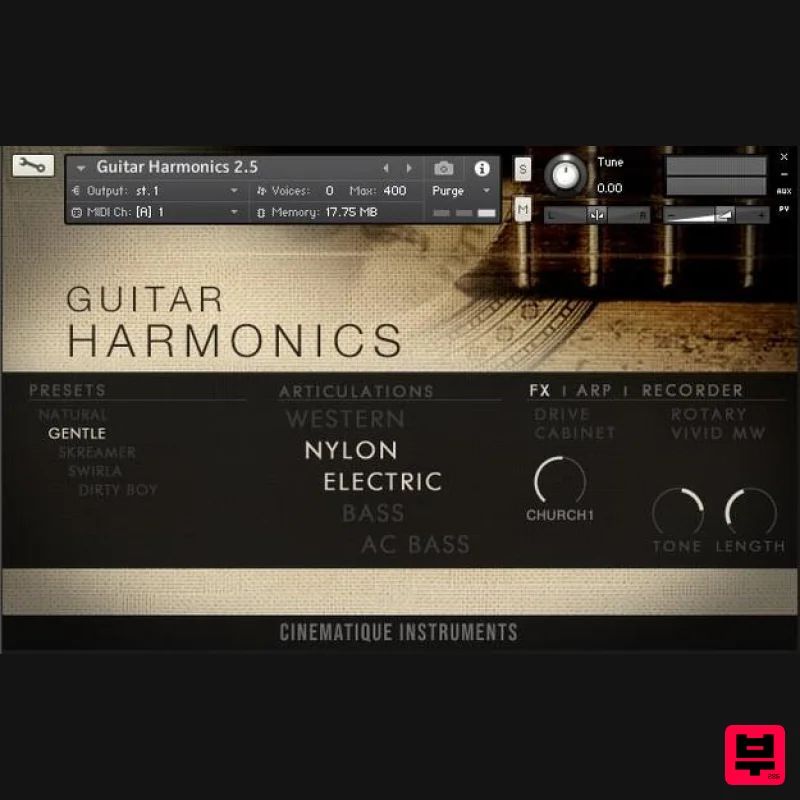
- each instrument provides a lot of useful scripting tools such as note length control (release and attack)
- EQ switch
- amp simulation
- distortion and reverb amount. Summing up these tools enable each instrument to produce a wide spread of sounds such as organic reverse guitars
- fragile string notes or warm e-piano tones. The Package The Guitar Harmonics 2 comes along in one complex patch with all 7 kinds of guitar and bass (approx. data size is 650 MB). For more details please read the reference manual. Update Note With update 2.5
- Cinematique Instruments have added presets and some new features (like Arp/ Recorder) and effects. They have also taken the design to a new level. System Requirements The FULL Version of Kontakt 5.8.1 or higher is required. Important Notes: The FULL Version of Kontakt 5.8.1+ is required in order to use this instrument. You will be stuck in DEMO MODE if trying to use this instrument in the FREE Kontakt Player. Installation Instructions (using Mociula as the example) 1. Download the software folder from your Plugin Boutique account. 2. Unzip and extract the folder within and save it to a computer destination/folder of choice. 3. Launch Kontakt and click 'Browse' > Select 'Files
- ' which is located at the top left hand corner of Kontakt's interface. 4. Locate the instrument folder from the computer destination/folder that you saved it to > Select the Instruments sub-folder. 5. Once you locate the instrument.nki file
- drag and drop it into the blank space which is available on the right hand side of Kontakt's interface. 6. Your instrument is now loaded into Kontakt and ready-to-use!
Additional Information
About the Cinematique Instruments Guitar Harmonics v2.5
Discover the distinctive sound and feel of the Cinematique Instruments Guitar Harmonics v2.5, a standout choice among Kontakt Instrument.
Why Choose the Cinematique Instruments Guitar Harmonics v2.5?
- •Authentic Cinematique Instruments craftsmanship and design
- •Versatile sound suitable for multiple musical genres
- •Professional build quality and reliable performance
- •Part of Cinematique Instruments's respected Kontakt Instrument lineup
Compare & Explore
Browse our complete selection of Cinematique Instruments instruments or explore other Kontakt Instrument options. Use our comparison tools to find the perfect match for your musical style and budget.
Similar Products

Audiofier Sequi2r EX
Kontakt Instrument

Audiofier Aerkord
Kontakt Instrument

The Beat House LE HITS THE ESSENTIALS
Kontakt Instrument

Aria Sounds Hybrichord
Kontakt Instrument

Ecliptiq Audio Hexa Rhythm Designer
Kontakt Instrument

HD Instruments ZoneMatrix
Kontakt Instrument

DoubleBang Software Plugged
Kontakt Instrument

Rigid Audio Retrocade
Kontakt Instrument

