
Cinematique Instruments Deconstructed Piano
Professional music gear - detailed information and where to buy
Cinematique Instruments
Deconstructed Piano
Product Info
* Prices may vary. Check retailer for current pricing and availability.
Product Description
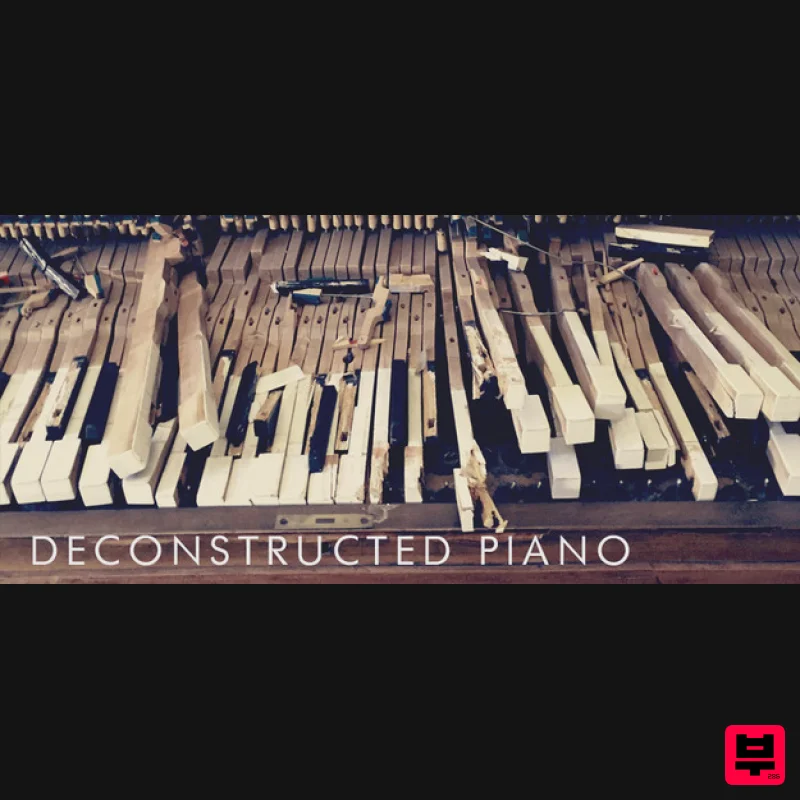
- Ever Wanted to Destroy a Piano? We Did It. Even if the word "Piano“ is included in the Deconstructed Piano
- this instrument isn't quite like anything you would expect as a piano. Explore a familiar sound of a piano in a complete new way. Play textures
- strikes
- hits and sustained sounds including screws. The variations of this piano are exhausted to the limit. The Content Deconstructed Piano: the name explains itself. We have disassembled a piano to its soundboard and have worked on this in many different ways: we have played
- stroke and destructed the piano with a wide range of materials. We have used a regular piano hammer
- different kinds of mallets such as a felt or a woollen ones
- screws
- plecs
- sticks
- thumbs and even straws to coax new inspirational harmonic sounds from the instrument. In order to achieve additional percussive material
- we have captured 24 different percussion sounds (recorded in multi round robin variations) which can be easily mixed to the entire piano sound or just be used separately for experimental purposes. We have also recorded plenty of textures
- soundscapes and noises of the piano by scrubbing
- hitting or playing the soundboard. While disassembling the piano we have recorded all that noises of destruction done with a sledgehammer and put this into an extra patch as well as in a special categorise inside the textures patch. Deconstructed piano is a great collection of sounds
- noises and textures exclusively created with a piano. It totally convinces with its diversity. No matter if you are using the powerful short hit from a metal bar
- using the gentle screw piano sounds to give your music a subtile highlight or using the massive strike sounds to create great impacts
- the Deconstructed Piano adds a new colour to your sound. The Structure The instrument comes with three completely different patches: The Piano – Strikes – Textures The piano patch is the basic instrument. It delivers three different sound categories with eleven piano sounds in total. By dragging
- you can control the volume of each sound. It gives you the possibility to combine and create your own instrument setting. Besides an attack and decay slider
- the instrument provides a button that randomises the volume of each of the 11 sounds which results into new sound combinations. The patch also includes an FX section in which you are able to choose reverb
- delay
- distortion and an EQ. Did you ever imagine to destroy a Piano? We actually did it. Explore the sound of a sledgehammer bursting on the piano
- a crowbar trying to rip of the strings and even more. All these sounds and noises were sampled to create huge impacts. Finally we have collected plenty of soundscapes. This patch is a very useful tool to create evolving textures with tension. Beside the above mentioned sound options of EQ
- reverb
- attack
- decay
- distortion
- this patch provides and automatic volume variation with speed control as well as an „hold“ button for an infinite sound. The Package Three complex patch including four many different types and styles of piano sounds. Approx. data 0.5 GB compressed audio files. For more details please read the . reference manual. System Requirements The FULL Version of Kontakt 5.6.8 or higher is required. Important Notes: The FULL Version of Kontakt 5.6.8 or higher is required in order to use this instrument. You will be stuck in DEMO MODE if trying to use this instrument in the FREE Kontakt Player. Installation Instructions Note: Mociula-Lab is used as the example 1. Download the software folder from your Plugin Boutique account. 2. Unzip and extract the folder within and save it to a computer destination/folder of choice. 3. Launch Kontakt and click 'Browse' > Select 'Files
- ' which is located at the top left hand corner of Kontakt's interface. 4. Locate the instrument folder from the computer destination/folder that you saved it to > Select the Instruments sub-folder. 5. Once you locate the instrument.nki file
- drag and drop it into the blank space which is available on the right hand side of Kontakt's interface. 6. Your instrument is now loaded into Kontakt and ready-to-use!
Additional Information
About the Cinematique Instruments Deconstructed Piano
The Cinematique Instruments Deconstructed Piano represents excellent craftsmanship in the Kontakt Instrument category.
Why Choose the Cinematique Instruments Deconstructed Piano?
- •Authentic Cinematique Instruments craftsmanship and design
- •Versatile sound suitable for multiple musical genres
- •Professional build quality and reliable performance
- •Part of Cinematique Instruments's respected Kontakt Instrument lineup
Compare & Explore
Browse our complete selection of Cinematique Instruments instruments or explore other Kontakt Instrument options. Use our comparison tools to find the perfect match for your musical style and budget.
Similar Products

Audiofier Sequi2r EX
Kontakt Instrument

Aria Sounds Hybrichord
Kontakt Instrument

DoubleBang Software Plugged
Kontakt Instrument

HD Instruments ZoneMatrix
Kontakt Instrument

Ecliptiq Audio Hexa Rhythm Designer
Kontakt Instrument

The Beat House LE HITS THE ESSENTIALS
Kontakt Instrument

Audiofier Aerkord
Kontakt Instrument

Rigid Audio Retrocade
Kontakt Instrument

