
Caelum Audio Schlap
Professional music gear - detailed information and where to buy
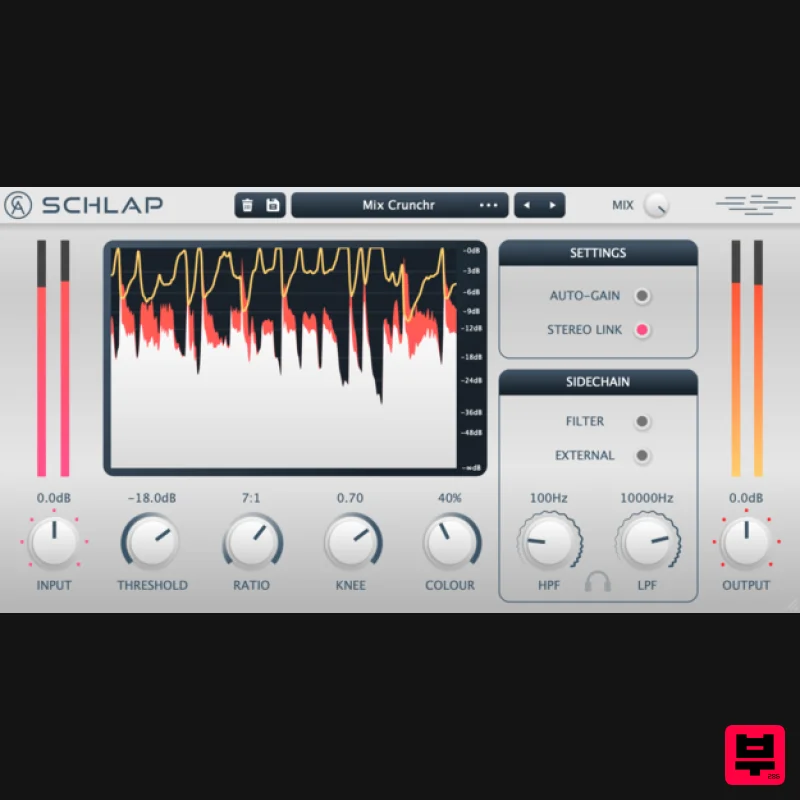
Caelum Audio
Schlap
Product Info
* Prices may vary. Check retailer for current pricing and availability.
Product Description
- If you want your tracks to be energetic
- in-your-face and bold
- make 'em "Schlap". Schlap is a characterful
- colourful and aggressive sounding program-dependent compressor. It takes inspiration from hardware RMS compressors of the past and evolves them into a modern setting. The compressor uses a program-dependent attack and release influenced by old hardware making the compression sound characterful and dynamic. The RMS detection means that Schlap detects the average loudness of a signal
- resulting in sudden short peaks being uncompressed so that they can attack hard and sound heavy hitting. Also inherently in RMS detection
- there is a slight delay in compression which allows the initial
- early transients to sneak through uncompressed so they keep their punch. You've got a safe
- controlled track you think you're happy with
- but you have to ask yourself... "Does it Schlap?" Features Aggressive
- in your face compression. Program dependent - attack and release settings are automatic. 4 ratio styles: expansion and gating
- standard compression
- infinite limiting compression and negative over-compression. Optional external side-chain input. Sidechain filtering. Inspired by old hardware. System Requirements Mac macOS 10.13 and above (64-bit only) VST3
- AAX PC Windows 7 and above VST3 (32 & 64-bit)
- AAX (64-bit only) Important Note: AAX Format for Windows is 64-bit only. Important Note: Tape Cassette 2 is used as the example macOS: Installation 1. Download the installer from within your Plugin Boutique User Account and open the .pkg file to begin the installation > Click 'Continue'. 2. Click 'Continue'. 3. Click 'Agree'. 4. Click 'Continue'. 5. Click 'Install'. 6. Click 'Close'. Activation 1. Open the plugin within your DAW. 2. Enter the serial number
- found within your Plugin Boutique User Account > Click Accept Your software is now installed and ready to use within your DAW. Windows: Installation 1. Download the installer from within your Plugin Boutique User Account and double-click it to extract the contents > Open the .exe file to begin the installation. 2. Select 'I accept the agreement' > Click 'Next'. 3. Click 'Next'. 4. Click 'Yes'. 5. Click 'Finish'. Activation 1. Open the plugin within your DAW (You may need to run your DAW as the Administrator). 2. Enter the serial number
- found within your Plugin Boutique User Account > Click Accept Your software is now installed and ready to use within your DAW.
Additional Information
About the Caelum Audio Schlap
The Caelum Audio Schlap combines traditional design with modern performance for Compressor enthusiasts.
Why Choose the Caelum Audio Schlap?
- •Authentic Caelum Audio craftsmanship and design
- •Versatile sound suitable for multiple musical genres
- •Professional build quality and reliable performance
- •Part of Caelum Audio's respected Compressor lineup
Compare & Explore
Browse our complete selection of Caelum Audio instruments or explore other Compressor options. Use our comparison tools to find the perfect match for your musical style and budget.
Similar Products

MeldaProduction MEssentialsFXBundle
Compressor

Initial Audio IA-LA1
Compressor

Korneff Audio Pawn Shop Comp
Compressor

DDMF LinComp
Compressor

PSP Audioware PSP Vintage Warmer 2
Compressor

Soundspear Supertube
Compressor

DDMF Comprezzore
Compressor

W. A. Production BIGGIFIER
Compressor

