
Boz Digital Labs Panipulator 2
Professional music gear - detailed information and where to buy
Boz Digital Labs
Panipulator 2
Product Info
* Prices may vary. Check retailer for current pricing and availability.
Product Description
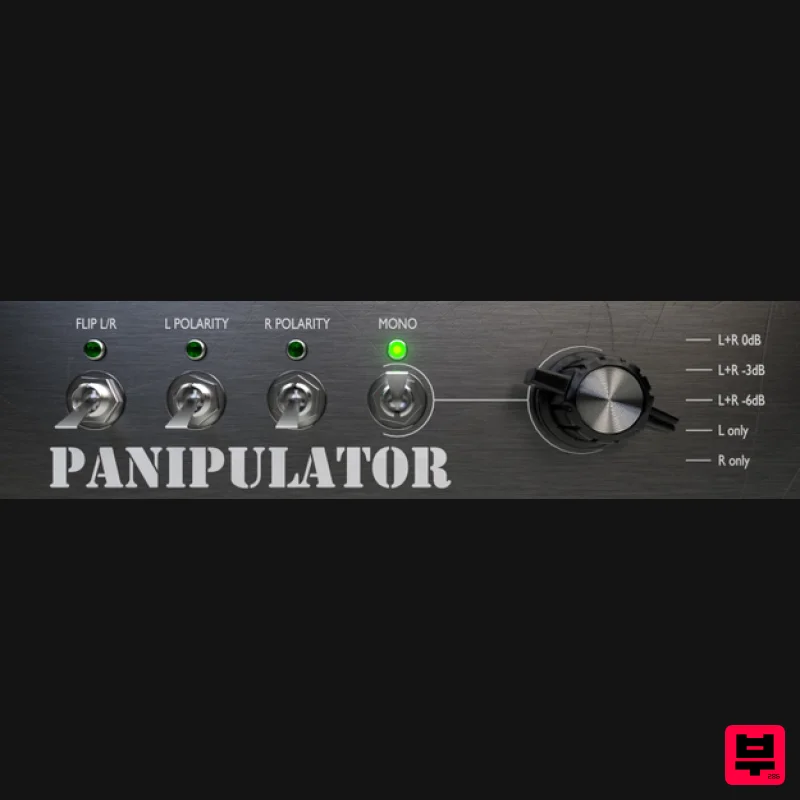
- Panipulator 2 is an update to the extremely simple and useful tool created at the request of Brandon Drury at Recording Review. It is an essential tool for checking how your mixes will translate to different systems. Best of all
- it’s available for free. Even though you spent considerable time and effort getting your mix to sound amazing on your monitors
- there is still one very important question: What will it sound like playing at a theme park? or at the dentists office? or on your old radio? What if they wired one of the speakers backwards? As much as we’d like to think that everyone is listening our music in stereo
- the truth is that many many people are listening in less than ideal environments. Panipulator lets you hear what your mix will sound like in those environments so you can be sure that your mixes will translate across all systems. What will your mix sound like summed to mono? Flip a switch to find out. What if someone wires their system so that they can only hear the left channel? Flip a switch to hear what that sounds like. What if they reverse the wiring on one of their speakers? Flip a switch to find out to see how that will affect your song. These are all common scenarios
- and the last thing you want to do is find out is that your mom’s voice
- that you thought was buried in the mix
- pops out when played over the loudspeakers at Nordstrom. Panipulator will barely make a dent in your CPU usage
- so there is no reason that this plugin should not be a default on every single song you mix. System Requirements Windows (32/64 bit): VST2
- VST3
- RTAS
- AAX Native Mac (32/64 bit): AU
- VST2
- VST3
- RTAS
- AAX Native Note: Manic Compressor is used as the example: 1. Download the plugin installer from within your User Account. Note: Be sure to choose the correct installer by selecting either PC Windows or Apple Mac icon > then Click Download. 2. Double Click the installer file to begin the installation process > Click Next. 3. Read through the Licence terms and Select 'I Accept the Agreement' > Click Next. 4. Choose a destination folder in which to save your software to > Click Install. 5. Select a folder in which to install the 32-bit version of the software to > Click Next. 6. Select a folder in which to install the 64-bit version of the software to > Click Next. 7. Select the software components that you wish to install > Click Next. 8. Select and set up a folder shortcut path for your software installation > Click Next. 9. Manic Compressor is now ready to install > Review and Click Install. 10. The installation of your software has successfully completed > Click Finish. 11. Load your DAW and Select/Open your software from the Plug-in selection. Note: You may need to restart your DAW and Refresh/Rescan the Plug-in manager
- in order for the software installation to show. The software is now ready for use within your DAW!
Additional Information
About the Boz Digital Labs Panipulator 2
The Boz Digital Labs Panipulator 2 represents excellent craftsmanship in the Utility category.
Why Choose the Boz Digital Labs Panipulator 2?
- •Authentic Boz Digital Labs craftsmanship and design
- •Versatile sound suitable for multiple musical genres
- •Professional build quality and reliable performance
- •Part of Boz Digital Labs's respected Utility lineup
Compare & Explore
Browse our complete selection of Boz Digital Labs instruments or explore other Utility options. Use our comparison tools to find the perfect match for your musical style and budget.
Similar Products

Soundspear Luxor
Utility

Inphonik RX950
Utility

Acoustica Spin It Again
Utility

Audible Genius Building Blocks 2
Utility

Tonalic Tonalic Arranger - 30 Day Subscription
Utility

DDMF TheStrip
Utility

Blue Cat Audio Blue Cat's Connector
Utility

Audible Genius Building Blocks 1
Utility

