
Big Fish Audio Ambient White
Professional music gear - detailed information and where to buy
Big Fish Audio
Ambient White
Product Info
* Prices may vary. Check retailer for current pricing and availability.
Product Description
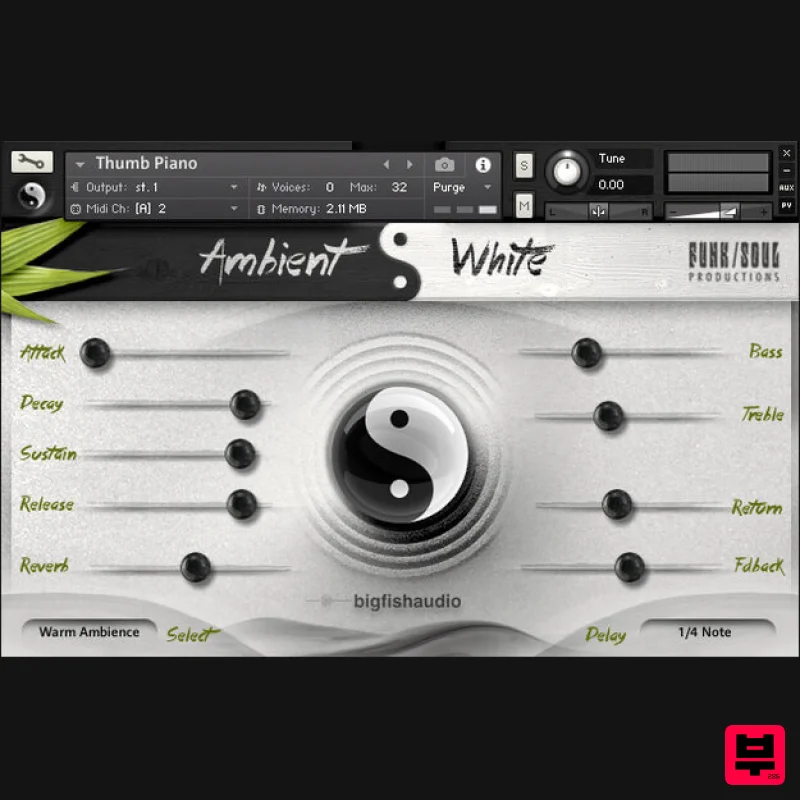
- An Original Instrument of Textures Suitable for all Sorts of Ambient Music Ambient White is the first of a linked pair of sound design-based virtual instruments designed to provide composers and producers with a collection of original instruments and textures suitable for all sorts of ambient music. As its name implies
- Ambient White covers the lighter end of the ambient spectrum
- focusing on beautiful
- peaceful
- melodic
- harmonious
- and natural sounds. Ambient Black
- the second VI in this series
- will cover the opposite end of the ambient spectrum. The vast majority of the sounds used in the creation of Ambient White were derived from organic sources: found sounds and audio recordings subjected to extreme sound design techniques
- prepared and/or heavily processed musical instruments
- and sounds recorded in natural environments. The few synth sounds that were used were also processed with sound design techniques
- and/or combined with various organic sounds and instruments. The end result is a product that combines acoustic
- humanistic
- and electronic elements to produce an organic-sounding virtual musical instrument. The Instruments Patches Ambient White features over 250 different instrument patches and combinations divided into several categories. The most complex instrument patches in Ambient White are the Multi-Layered Instruments
- which were created using combinations of patches and are arranged by their basic type. Multi-Layered Instrument Patches Many of the Multi-Layered Instrument patches consist of multiple evolving atmospheres
- chordal and/or melodic components
- and/or looped phrases. For best results
- try playing these patches with one finger
- in octaves
- or in fifths. This doesn't apply to Layered PERC patches
- which in general don't have any pronounced melodic or harmonic content; playing multiple notes at a time with these Layered patches can produce some interesting polyrhythmic patterns. Effects & Textures The Effects & Textures category includes a number of patches that were mainly designed to work in tandem with other types of patches. These patches were designed with that in mind. Percussive Instruments The Percussive Instruments include several different acoustic and electronic drum kits. There's also a selection of tuned hand drums
- cymbals and gongs
- and other percussive sounds. Pads & Atmospheres Many of the Pads & Atmospheres also include chordal components. When trying these patches for the first time
- it's probably best to play them with one finger or in octaves. You can then experiment with playing different intervals
- depending on the level of harmonic complexity you're looking for. Melodic & Bass Instruments The Melodic and Bass Instruments are mainly single-note patches. However
- a few of these patches also few have some underlying harmonic content
- and can be used as Pads. Looped Instrument Phrases The Looped Instrument Phrases include simple repeating patterns and some more-complex patterns created by mixing multiple loops together. Many of the loops lock to tempo
- but some do not; this was done intentionally
- in order to add an element of randomness and unpredictability to some of the patches. Looped Instrument Phrases should be played like the Pads & Atmospheres
- using solo notes or octaves for less-complex patterns and different intervals for more experimental and harmonically-dense effects. Features 250 different instrument patches Almost 7.5 GB of uncompressed WAV data (4GB compressed) Compatible with Kontakt 5.8.1 and higher (for both FULL or FREE Player versions) System Requirements Mac Mac OS X 10.7.x or later Intel Core Duo
- 2GB of RAM 2.0 GHz processor or faster recommended and For optimum performance
- Big Fish Audio recommends a 2.0GHz processor or faster 4 GB of Free Hard Drive Space Windows Windows 7 / 8 (latest Service Pack
- 32 / 64-bit) Intel Core Duo or AMD Athlon 64
- and 2GB of RAM 2.0 GHz processor or faster recommended 4 GB of Free Hard Drive Space Sounds And Gear "4.5/5! It’s a great library with plenty of content to keep fans of ambient styles inspired." Sound On Sound "This collection delivers splendidly...it could be the catalyst for a batch of new chillout tracks
- as well as spawning music suitable for massage
- meditation or quiet reflection." Note: Ambient Minimalism is used as the example. Redemption 1. Go to https://www.bigfishaudio.com/redemption.html > Enter your Name
- Email Address
- and Redemption Code
- found in the Serial Number section of your Plugin Boutique User Account > Click 'CONTINUE'. 2. Sign into your existing Big Fish Audio account
- or if you don't have one
- click "CREATE ACCOUNT" and fill in your details to create an account. 3. Your product is now redeemed. Please make note of the serial provided here > Click "DOWNLOAD" to download the plugin. 4. Unzip the downloaded installer. Mac Installation / Activation 1. Download and install the FREE Kontakt Player from the Native Instruments website. 2. Download and install the FREE Native Access application. 3. Open Native Access and enter your Native Instruments-registered email address and password > Click 'LOG IN'. 4. Click 'Add a serial' in the top left corner of the application window. 5. Enter the Serial Number found in your email > Click 'Add Serial'. 6. Click 'View products not installed'. 7. Navigate to Ambient Minimalism > Click 'ADD LIBRARY'. 8. Click 'BROWSE' > Navigate to where you downloaded and unzipped Ambient Minimalism too > Once selected
- click 'INSTALL'. 9. Ambient Minimalism is now installed. 10. Open Kontakt and go to the 'Libraries' tab. Your Library is now activated and ready to use in standalone or within your DAW. PC Installation / Activation 1. Download and install the FREE Kontakt Player from the Native Instruments website. 2. Download and install the FREE Native Access application. 3. Open Native Access and enter your Native Instruments-registered email address and password > Click 'LOG IN'. 4. Click 'Add a serial' in the top left corner of the application window. 5. Enter the previously acquired Serial Code from Big Fish Audio > Click 'Add Serial'. 6. Click 'View products not installed'. 7. Navigate to Ambient Minimalism > Click 'ADD LIBRARY'. 8. Click 'BROWSE' > Navigate to where you downloaded and unzipped Ambient Minimalism too > Once selected
- click 'INSTALL'. 9. Ambient Minimalism is now installed. 10. Open Kontakt and go to the 'Libraries' tab. Your Library is now activated and ready to use in standalone or within your DAW.
Additional Information
About the Big Fish Audio Ambient White
Discover the distinctive sound and feel of the Big Fish Audio Ambient White, a standout choice among Kontakt Instrument.
Why Choose the Big Fish Audio Ambient White?
- •Authentic Big Fish Audio craftsmanship and design
- •Versatile sound suitable for multiple musical genres
- •Professional build quality and reliable performance
- •Part of Big Fish Audio's respected Kontakt Instrument lineup
Compare & Explore
Browse our complete selection of Big Fish Audio instruments or explore other Kontakt Instrument options. Use our comparison tools to find the perfect match for your musical style and budget.
Similar Products

Audiofier Sequi2r EX
Kontakt Instrument

Rigid Audio Retrocade
Kontakt Instrument

HD Instruments ZoneMatrix
Kontakt Instrument

Ecliptiq Audio Hexa Rhythm Designer
Kontakt Instrument

DoubleBang Software Plugged
Kontakt Instrument

Aria Sounds Hybrichord
Kontakt Instrument

Audiofier Aerkord
Kontakt Instrument

The Beat House LE HITS THE ESSENTIALS
Kontakt Instrument

