
BFD BFD Player Expansion: Jazz Brushes
Professional music gear - detailed information and where to buy
BFD
BFD Player Expansion: Jazz Brushes
Product Info
* Prices may vary. Check retailer for current pricing and availability.
Product Description
- Unleash Modern Rock Mastery with BFD Player - Dark Copper: Your Shortcut to Raw
- Hard-Hitting Beats! Elevate your sound with the mesmerizing rhythm of BFD Player - Jazz Brushes. Crafted from the acclaimed BFD Jazz Noir expansion pack
- this pack unveils a distinctive essence – introducing the timeless allure of brushed drums. Immerse yourself in the essence of jazz
- lounge
- funk
- and blues
- where subtlety meets undeniable power. The soulful beats of a vintage Camco ‘1962’ Oaklawn drumkit breathe life into your compositions
- delivering a yet commanding presence that resonates across genres. Unleash the finesse of brush-played drums
- meticulously captured to elevate your musical creations. Whether you seek the seductive whispers of lounge music or the vibrant pulse of funk and blues
- BFD Player - Jazz Brushes stands as your gateway to a world of evocative rhythm. With its nuanced articulation and undeniable charm
- this pack is your ultimate companion for creating soulful
- sophisticated
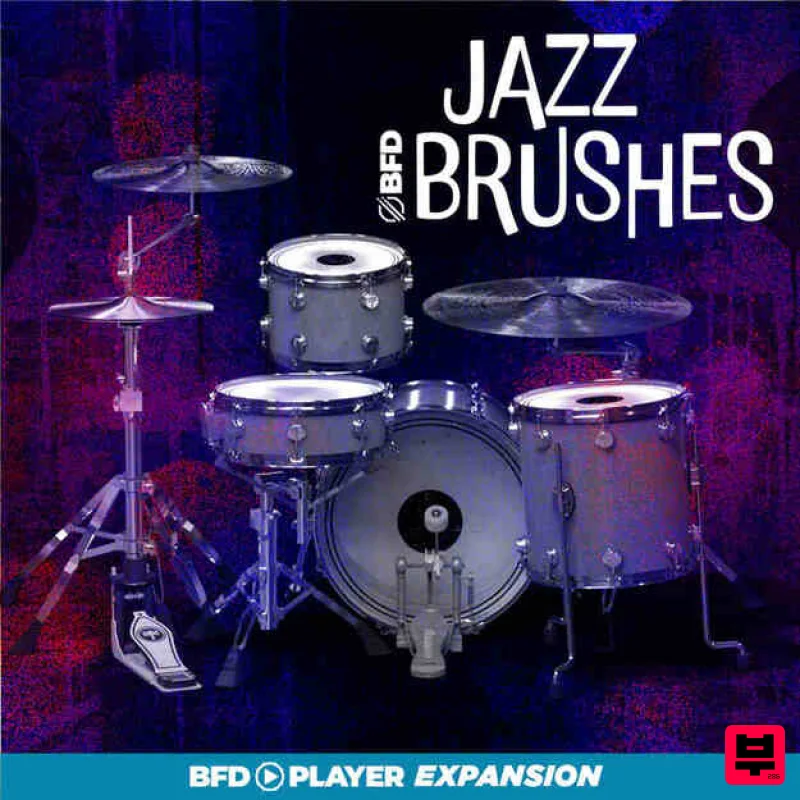
- and unforgettable beats. Elevate your music. Embrace the elegance of brushed drums. Let BFD Player - Jazz Brushes define your sound. Features 14x20” Camco Oaklawn Kick - open and dampened variations 14x14” Camco Oaklawn Floor Tom 8x12” Camco Oaklawn High Tom Snare: 14x4.5” Camco Oaklawn Snare Cymbals: 24” Istanbul 30th Anniversary Ride 18” Istanbul Dark Crash 14” Istanbul Agop Signature Hihat System Requirements Windows Windows 10 version 1909 and above 2GB free disk space (10.5 GB for all content recommended) 4GB RAM (8GB recommended) Dual-core 2.5GHz CPU BFD Player 1.1.0 required Not compatible with BFD3 Mac macOS 10.13 to macOS 13 Ventura (Apple Silicon compatible) 2GB free disk space (10.5 GB for all content) 4GB RAM (8GB recommended) Dual-core 2.5GHz CPU BFD Player 1.1.0 required Not compatible with BFD3 Note: BFD3 is used as an example. Registration 1. Go to https://profile.inmusicbrands.com/customer/account/login/ > Enter your email address and password > Click 'Create Account'. 2. Enter your details > Click 'NEXT STEP'. 3. Select brands you're interested in > Click 'I agree to inMusic's PRIVACY POLICY and TERMS OF USE' > Click 'CREATE ACCOUNT'./ 4. You have just created an inMusic account. You will now be sent a confirmation email. 5. Locate the account confirmation email > Click 'CONFIRM ACCOUNT'. Your account is now confirmed! Mac Installation 1. Download the BFD License Manager from your Plugin Boutique account. 2. Run the BFD License Manager installer > Drag the BFD License Manager icon over to your Applications folder. 3. Open the BFD License Manager when it has installed > Click 'Login via browser'. 4. Enter your details and log into your account. 5. Go back to the BFD License Manager > Click 'Products' on the toolbar > Select 'Register Product Serial'. 6. Enter the serial number found in your Plugin Boutique account > Click 'Register'. 7. Your serial is now registered > Click 'OK'. 8. Click 'Authorize'. 9. Your product is now authorised > Click 'OK'. Core Library Installation 1. Go back to the BFD License Manager > Click on BFD3 > Click the download button by 'BFD Content Installer'. You will now download the BFD3 Core Library (this is a large download and may take a while). 2. Click the 'play' button when the download has finished to install the core library > Click 'Next'. 3. Read the License Agreement > Click 'I agree with the terms and conditions detailed above' > Click 'Next'. 4. Click 'BFD3 ONLY' > Click 'Next'. 5. Choose where you want to install the library (if you have enough space
- leave this as the default and install it on your main drive) > Select the installation size > Click 'Install'. 6. Please wait for the Core Library to install. 7. The BFD3 Core Library is now installed > Click 'Done'. 8. Open BFD3 in your DAW > Choose your preferences > Click 'Do It!'. BFD3 is now installed
- activated and ready to use in your DAW! Windows Installation 1. Download the BFD License Manager from your Plugin Boutique account. 2. Run the BFD License Manager installer (you may need to find it in your download folder in Windows Explorer and open it from there) > click 'Yes'. 3. Read the License Agreement > Click 'I agree with the terms and conditions detailed above' > Click 'Install'. 4. The BFD License Manager is now installed > Click 'Done'. 5. Open the BFD License Manager > Click 'Login via Browser'. 6. Your browser will now open a new tab > Log in with your details. 7. Go back to the BFD License Manager > Click 'Products' in the toolbar > Select 'Register Product Serial...'. 8. Enter the serial number found in your Plugin Boutique account > Click 'Register'. 9. Click on your license > Click 'Authorize'. 10. Click 'Authorize' again. 11. Click the download button next to 'BFD3 Software Installer' to download the BFD3 installer. 12. Wait for the download to finish > Click the 'play' button. 13. Extract the contents of the ZIP folder. 14. Click 'Next'. 15. Read the License Agreement > Click 'I agree with the terms and conditions detailed above' > Click 'Next'. 16. Click 'Next'. 17. Click 'Browse...' > Select the VST folder that your DAW uses > Click 'Next'. 18. Click 'Install'. BFD3 is now installed on your system. Factory Content Installation 1. Click the download button next to 'BFD3 Content Installer' 2. Wait for the download to finish > Click the 'play' button for the 'BFD3 Core Library'. 3. Click 'Next'. 4. Select 'I agree with the terms and conditions detailed above' > Click 'Next'. 5. Select 'BFD3 ONLY' > Click 'Next'. 6. Click 'Install'. 7. Wait for the Core Libary to install > Click 'Done'. 8. Open BFD3 in your DAW > Choose your preferences > Click 'OK'. 9. Click 'OK' 10. Select your preferences > Click 'Do It!' BFD3 is now installed
- activated and ready to use in your DAW!
Additional Information
About the BFD BFD Player Expansion: Jazz Brushes
Experience the quality and tone that makes the BFD BFD Player Expansion: Jazz Brushes a popular choice for musicians.
Why Choose the BFD BFD Player Expansion: Jazz Brushes?
- •Authentic BFD craftsmanship and design
- •Versatile sound suitable for multiple musical genres
- •Professional build quality and reliable performance
- •Part of BFD's respected Expansion Packs lineup
Compare & Explore
Browse our complete selection of BFD instruments or explore other Expansion Packs options. Use our comparison tools to find the perfect match for your musical style and budget.
Similar Products

Tracktion Poly-One Expansion Pack (for Attracktive)
Expansion Packs

Tracktion DG-8000 Expansion Pack (for Attracktive)
Expansion Packs

Tracktion Langweil 150 Expansion Pack (for Attracktive)
Expansion Packs

Tracktion SH-20 Expansion Pack (for Attracktive)
Expansion Packs

Tracktion Taurinorum Expansion Pack (for Attracktive)
Expansion Packs

Tracktion SA-1000 Expansion Pack (for Attracktive)
Expansion Packs

Tracktion Suitcase in a Box Expansion Pack (for Attracktive)
Expansion Packs

Tracktion Stonegrabber D-232 Expansion Pack (for Attracktive)
Expansion Packs

