
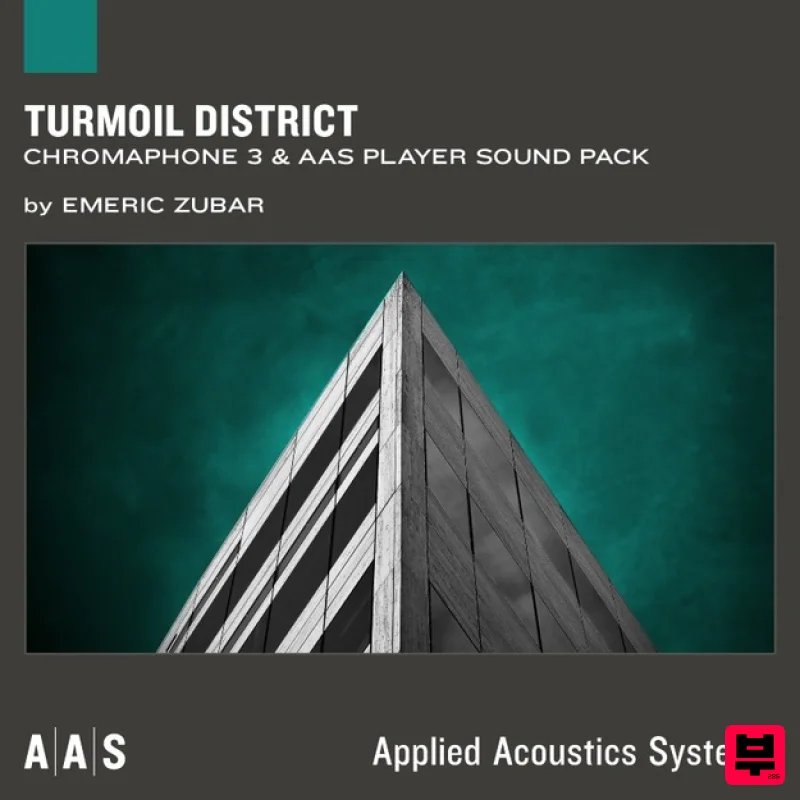
Applied Acoustics Systems Turmoil District Chromaphone 3 Sound Bank
Professional music gear - detailed information and where to buy
Applied Acoustics Systems
Turmoil District Chromaphone 3 Sound Bank
Product Info
* Prices may vary. Check retailer for current pricing and availability.
Product Description
- AAS sound designer newcomer Emeric Zubar a.k.a. BLAKE presents Turmoil District—a collection of 101 presets exhibiting the emotional and ominous side of Chromaphone 3. Turmoil District gets you everything you need to explore the dark and sad atmosphere of Trap
- Cloud Trap
- Hip Hop
- and even ambient music. While being sonically rich-sounding
- this sound pack highlights the dreamy and haunting vibe needed for those genres. With its vast selection of kicks
- snares
- basses
- hi-hats
- pads
- and keys
- Turmoil District's presets are specifically designed to create vibrant beats and take your music to its climax. Who’s Emeric Zubar? Paris-based French producer and sound designer Emeric Zubar a.k.a. BLAKE creates sounds and/or music for Native Instruments
- Arturia
- Loopmasters
- Niche Audio
- and Redbull
- just to name a few. His infinite interest in sound design
- synthesis
- and new technologies led him to create his own sound design company—DRIVENSOUNDS. Features 101 Presets What's included with my purchase? Preset bank for Chromaphone 3 AAS Player plug-in (VST
- RTAS) Serial number Installation instructions System Requirements This preset collection can be used with the free AAS Player plug-in as well as the Chromaphone 3 analogue synthesizer. After you have installed the sound bank
- there are two options to use it: A. Chromaphone 3 - Octagon will automatically be added to Chromaphone 3 if it is installed on your computer. B. AAS Player - If you don't own Chromaphone 3
- you will be able to play Octagon from the AAS Player plug-in or standalone application. Please note: Objeq Delay is used as an example as the installation process is the same for all Applied Acoustics Systems products. Registration 1. Copy and paste the URL which is listed as the ‘Serial Number’ in your account into your browser search bar and click enter. 2. Enter your email address and name (the key will have been automatically entered). 3. Choose your communication preferences > Click 'Submit'. Mac Installation 1. Download the Mac Installer. 2. Open the ZIP folder you’ve just downloaded > Double click the PKG installer file. 3. You may see this message - if so
- please click 'Open'. 4. Click 'Continue'. 5. Read the Software License Agreement > Click 'Continue'. 6. Click 'Agree'. 7. Click 'Install'. 8. Tap your fingerprint or enter your password. 9. Your software will now install. 10. Open your new software in your DAW (you may need to restart your Mac and/or rescan your plugins). Your software is now ready to use within your DAW! Windows Installation 1. Download the Windows Installer. 2. Open the ZIP file you’ve just downloaded > Double click the Setup file. 3. Click 'Yes' to allow the installation to run. 4. Close your DAW if it’s open > Click 'OK'. 5. Read the License Agreement > Click ‘I Agree’. 6. Choose the install location (we recommend leaving it as the default). 7. Your software will now install. 8. The installation is now complete > Click 'Close'. 9. Open your new software in your DAW (you may need to restart your Mac and/or rescan your plugins). Your software is now ready to use within your DAW!
Additional Information
About the Applied Acoustics Systems Turmoil District Chromaphone 3 Sound Bank
The Applied Acoustics Systems Turmoil District Chromaphone 3 Sound Bank combines traditional design with modern performance for Synth Presets enthusiasts.
Why Choose the Applied Acoustics Systems Turmoil District Chromaphone 3 Sound Bank?
- •Authentic Applied Acoustics Systems craftsmanship and design
- •Versatile sound suitable for multiple musical genres
- •Professional build quality and reliable performance
- •Part of Applied Acoustics Systems's respected Synth Presets lineup
Compare & Explore
Browse our complete selection of Applied Acoustics Systems instruments or explore other Synth Presets options. Use our comparison tools to find the perfect match for your musical style and budget.
Similar Products
W. A. Production Melodic Techno for InstaComposer 3
Synth Presets

Resonance Sound Main Stage Techno Vol. 1 for Serum 2
Synth Presets
W. A. Production Progressive Trance for InstaComposer 3
Synth Presets
W. A. Production Progressive House for Babylon 2
Synth Presets

Resonance Sound UK Speed Garage Vol. 1 for Serum 2
Synth Presets
Resonance Sound FILTH Vol. 1 for Serum 2
Synth Presets

W. A. Production Cinematic Synths for Babylon 2
Synth Presets

Resonance Sound Stranger Serum Synths Vol. 1 for Serum 2
Synth Presets

