
Applied Acoustics Systems Multiphonics CV-3 + Packs
Professional music gear - detailed information and where to buy
Applied Acoustics Systems
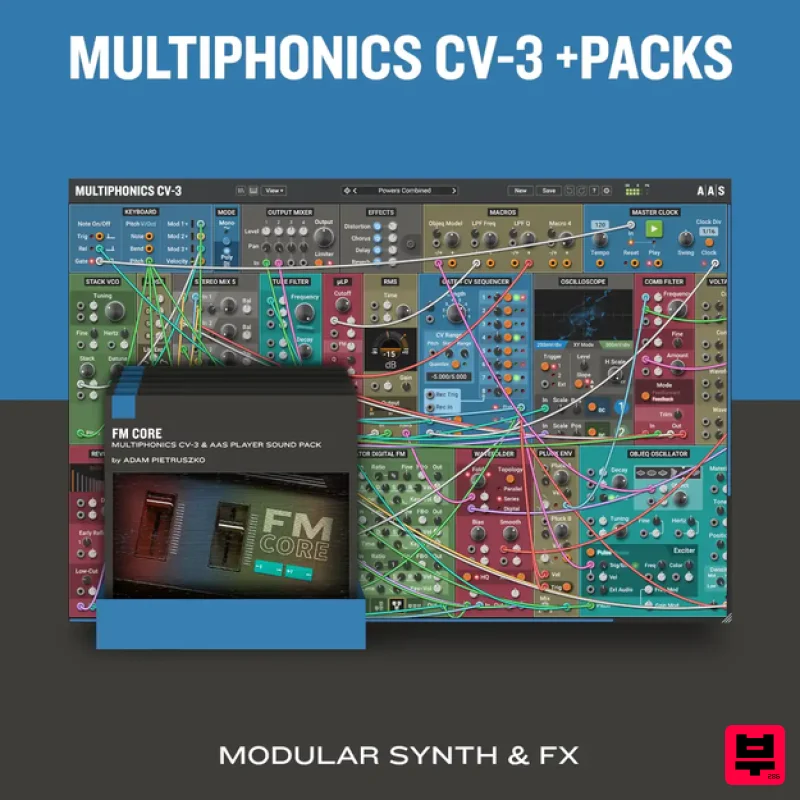
Multiphonics CV-3 + Packs
Product Info
* Prices may vary. Check retailer for current pricing and availability.
Product Description
- Multiphonics CV-3 Introducing the FM+ Update for Multiphonics CV-3 This new version (v3.1)
- a thematic update dedicated to FM synthesis
- brings four new modules to the Multiphonics library: the FM Core Operator module
- a building block used in the creation of complex digital FM patches; the REZ oscillator
- an original digital waveform generator; a new envelope generator module; and a comprehensive spectrum analyzer for signal visualization. This update coincides with the release of FM Core
- a new Multiphonics sound pack (sold separately) by sound designer and long-time collaborator Adam Pietruszko
- drawing inspiration from iconic ’80s pop and showcasing these new modules in unique patches. This update is free of charge for Multiphonics CV-3 registered users. Your Modular Playground: Meet Multiphonics CV-3 Multiphonics is a polyphonic modular rack for musicians and sound designers. Craft and play unique synths or create custom effects to process your audio tracks. At its core
- Multiphonics features a harmonious ecosystem of modules built on AAS’s renowned physical modeling technology. Spanning from essential building blocks to unique and sophisticated originals
- this collection includes modules emulating acoustic objects
- analog and digital oscillators
- filters
- CV generators
- and much more. With its intuitive interface
- Multiphonics provides seasoned users with a fun
- powerful space to explore musical and sonic ideas and quickly bring them to life. For those new to sound synthesis
- it is an inspiring learning environment. Multiphonics features hundreds of inspiring synth and effects patches
- crafted by top sound designers—ready to use or tailor to your style. With full MPE support
- it delivers unmatched expressivity
- plus a curated selection of patches designed specifically for the MPE controllers. Features Modular synthesizer plugin Modular effects plugin Extensive collection of modules New - Polyphony New - Physical modeling oscillators New - FM oscillators Factory library with 550 instrument and effects patches Integrated module and patch browser Support for all major plugin formats Standalone instrument version In-depth online manual Series of tutorials Expressivity New - MPE compatible Macro modules Direct access to MIDI control and expression signals Module Breakdown 10 Generators 3 Clocks and Sequencers 9 CV generators 12 Filters 5 Maths and Logic 5 mixers 7 shapers 12 Signal processors 2 VCAs 5 Visualizers Further Features Scalable GUI Easy synchronization to DAW New - Easy delay and LFO synchronization New - Improved patching with CV quick-connect New - Chorus and distortion in effect rack (synth version) Reverb and delay in effect rack (synth version) Multiple connections with one click On-screen keyboard for previewing patches without a controller Drag & drop modules at will New - Duplicate modules with or without connections Mac macOS 10.11 (El Capitan) or later Intel Core i5 (circa 2015)
- Apple M1 processor or later 64-bit DAW Windows Windows 10 64‑bit or later Intel Core i5 (circa 2015) processor or later 64-bit DAW Please note: Objeq Delay is used as an example as the installation process is the same for all Applied Acoustics Systems products. Registration 1. Copy and paste the URL which is listed as the ‘Serial Number’ in your account into your browser search bar and click enter. 2. Enter your email address and name (the key will have been automatically entered). 3. Choose your communication preferences > Click 'Submit'. Mac Installation 1. Download the Mac Installer. 2. Open the ZIP folder you’ve just downloaded > Double click the PKG installer file. 3. You may see this message - if so
- please click 'Open'. 4. Click 'Continue'. 5. Read the Software License Agreement > Click 'Continue'. 6. Click 'Agree'. 7. Click 'Install'. 8. Tap your fingerprint or enter your password. 9. Your software will now install. 10. Open your new software in your DAW (you may need to restart your Mac and/or rescan your plugins). Your software is now ready to use within your DAW! Windows Installation 1. Download the Windows Installer. 2. Open the ZIP file you’ve just downloaded > Double click the Setup file. 3. Click 'Yes' to allow the installation to run. 4. Close your DAW if it’s open > Click 'OK'. 5. Read the License Agreement > Click ‘I Agree’. 6. Choose the install location (we recommend leaving it as the default). 7. Your software will now install. 8. The installation is now complete > Click 'Close'. 9. Open your new software in your DAW (you may need to restart your Mac and/or rescan your plugins). Your software is now ready to use within your DAW!
Additional Information
About the Applied Acoustics Systems Multiphonics CV-3 + Packs
The Applied Acoustics Systems Multiphonics CV-3 + Packs represents excellent craftsmanship in the Synth category.
Why Choose the Applied Acoustics Systems Multiphonics CV-3 + Packs?
- •Authentic Applied Acoustics Systems craftsmanship and design
- •Versatile sound suitable for multiple musical genres
- •Professional build quality and reliable performance
- •Part of Applied Acoustics Systems's respected Synth lineup
Compare & Explore
Browse our complete selection of Applied Acoustics Systems instruments or explore other Synth options. Use our comparison tools to find the perfect match for your musical style and budget.
Similar Products

discoDSP OPL
Synth

AngelicVibes ELITE PIANIST
Synth

discoDSP Discovery Pro
Synth

Thenatan Audio Poizen VST
Synth

discoDSP OB-Xd
Synth

ThaLoops Templetone
Synth

discoDSP Discovery
Synth

Reflekt Audio Xonex
Synth

