
AIR Music Technology Vacuum Pro Expansion: Fresh Air Pack Vol 1
Professional music gear - detailed information and where to buy
AIR Music Technology
Vacuum Pro Expansion: Fresh Air Pack Vol 1
Product Info
* Prices may vary. Check retailer for current pricing and availability.
Product Description
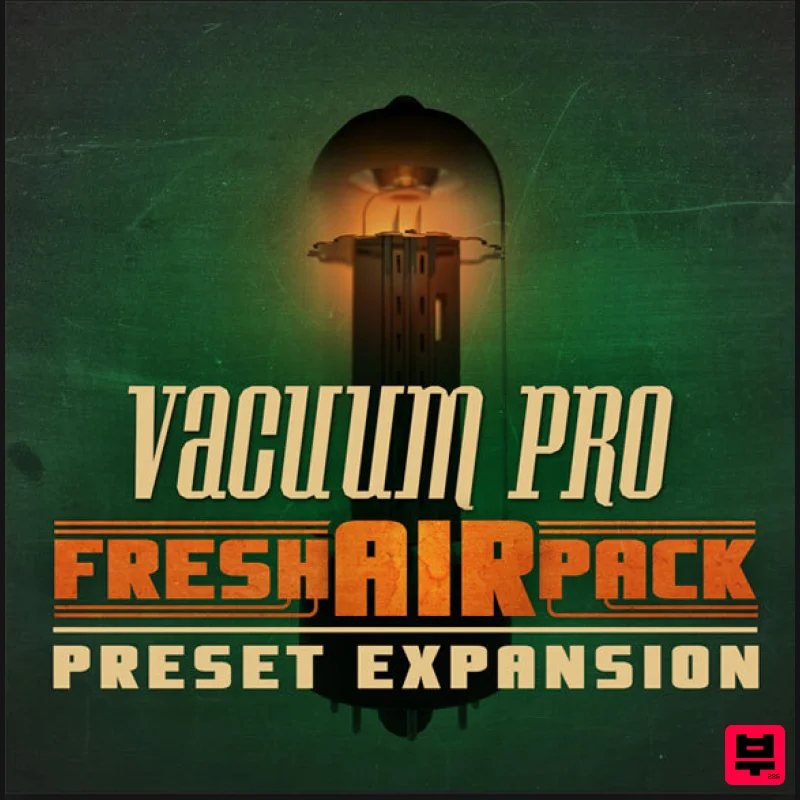
- Please Note: You must already own Vacuum Pro to use this expansion. Fresh Air Pack Vol 1: Vacuum Pro. Dust off over 200 exclusive never-before-heard patches that perfectly capture the crunchy
- warm sound of the analog era. Whether you’re creating the soundtrack to your next dystopian masterpiece or simply want to relive the sounds of yesteryear
- don’t miss this pack! Ranging from warm and pristine to downright dirty
- this expansion pack energizes your music with a fresh injection of top quality sounds. System Requirements Mac: Mac OS X 10.8.5-10.12; Core Duo Processor (Core i5 or i7 Recommended) PC: Windows 10
- 8 or Windows 7 Service Pack 1; Minimum Dual Core 2GHz (Intel Core i5 or i7 Recommended) Formats: VST (32 bit and 64 bit) qualified for: Ableton Live
- Cubase
- Arsenal AU (64 bit only) qualified for: Logic Pro X AAX qualified for: ProTools 11.x (64 bit) RTAS qualified for: 32-bit ProTools Please Note: Minimum RAM 4GB (8GB or more recommended) 1GB free hard drive space required (Download and Installation) Internet Access Required (Download and Authorization) You must already own Vacuum Pro to use this expansion No iLok key required Please Note: Vacuum Pro Expansion: Dystopian World is used as an example. Mac 1. Download the preset pack from within your Plugin Boutique User Account > double-click the .zip file to extract the contents. 2. Navigate through the folder until you locate the 'Presets' folder > Rename the folder to 'DystopianPresets' (or whatever the preset pack's name is) > Right-click the folder and select 'Copy'. 3. Navigate to "Macintosh HD / Applications / AIR Music Technology / VacuumPro / Presets" > Right-click and select 'Paste Item'. 4. Open your DAW > Launch VacuumPro > Click the preset browser by clicking 'Default' > Navigate to 'DystopianPresets' > Select a patch. Your presets are now installed and ready to use. Windows 1. Download the preset pack from within your Plugin Boutique User Account > double-click the .zip file to extract the contents. 2. Navigate through the folder until you locate the 'Presets' folder > Rename the folder to 'DystopianPresets' (or whatever the preset pack's name is) > Right-click the folder and select 'Copy'. 3. Navigate to "Windows (C:) / Program Files (x86) / AIR Music Technology / VacuumPro / Presets" > Right-click and select 'Paste'. 4. Click 'Continue'. 5. Open your DAW > Launch VacuumPro > Click the preset browser by clicking 'Default' > Navigate to 'DystopianPresets' > Select a patch. Your presets are now installed and ready to use.
Additional Information
About the AIR Music Technology Vacuum Pro Expansion: Fresh Air Pack Vol 1
Discover the distinctive sound and feel of the AIR Music Technology Vacuum Pro Expansion: Fresh Air Pack Vol 1, a standout choice among Expansion Packs.
Why Choose the AIR Music Technology Vacuum Pro Expansion: Fresh Air Pack Vol 1?
- •Authentic AIR Music Technology craftsmanship and design
- •Versatile sound suitable for multiple musical genres
- •Professional build quality and reliable performance
- •Part of AIR Music Technology's respected Expansion Packs lineup
Compare & Explore
Browse our complete selection of AIR Music Technology instruments or explore other Expansion Packs options. Use our comparison tools to find the perfect match for your musical style and budget.
Similar Products

Tracktion Poly-One Expansion Pack (for Attracktive)
Expansion Packs

Tracktion Taurinorum Expansion Pack (for Attracktive)
Expansion Packs

Tracktion Stonegrabber D-232 Expansion Pack (for Attracktive)
Expansion Packs

Tracktion Langweil 150 Expansion Pack (for Attracktive)
Expansion Packs

Tracktion SA-1000 Expansion Pack (for Attracktive)
Expansion Packs

Tracktion Suitcase in a Box Expansion Pack (for Attracktive)
Expansion Packs

Tracktion SH-20 Expansion Pack (for Attracktive)
Expansion Packs

Tracktion DG-8000 Expansion Pack (for Attracktive)
Expansion Packs

