Behringer X-Touch vs Presonus Faderport 8
Detailed comparison to help you choose the right DAW Controllers for your music.
Last updated: May 20, 2026 • Next update: May 27, 2026
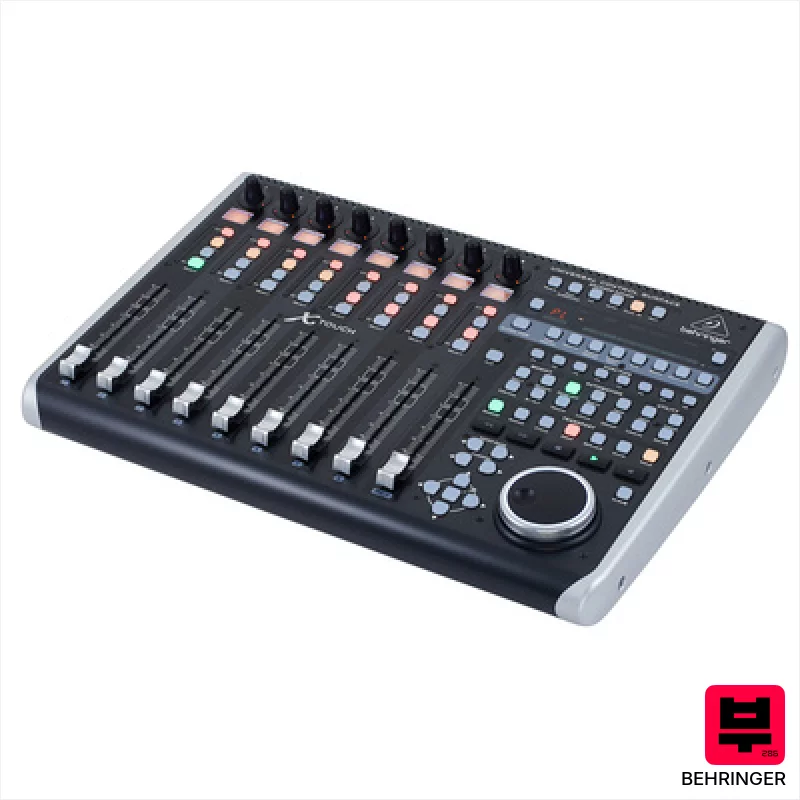
Behringer X-Touch
The X-Touch is a solid, affordable option for mixing engineers and producers seeking tactile control over their DAW. Its motor faders and LCD displays are a big win for workflow, and the X32 integration is a genuine bonus if you’re already in that ecosystem. It’s a workhorse, especially for those needing remote control of a complex mix.
$389

Presonus Faderport 8
The Faderport 8 is a great option for songwriters and smaller studio mixers who need tactile control over their DAW. Its motorized faders and dedicated transport controls make automation and track management much more intuitive, saving you time and improving your workflow, especially when working with complex arrangements.
$571
Detailed Comparison
| Feature | Behringer X-Touch | Presonus Faderport 8 |
|---|---|---|
| Brand | Behringer | Presonus |
| Model | X-Touch | Faderport 8 |
| Price | $389 | $570 |
| Expert Rating | ⭐ 4.7/5 | ⭐ 4.4/5 |
| Faders | 9 x 100 mm motorized | 8, 100 mm motorized, dual-servo drive belt |
| Knobs | 8 assignable rotary controls | 1, small encoder for pan and parameter adjustments |
| Pads | None | - |
| Motorized | Yes | Yes, dual-servo system |
| Connections | 2x USB/MIDI, 2x footswitch, Ethernet | 8 x TRS, 2 x USB, MIDI in/out |
| Weight | 4.3 kg | Approximately 7.7 lbs |
| Pros | + 9 motorized faders offer precise, tactile control | + Solid dual-servo fader motorization provides smooth, precise automation. |
| Pros | + LCD displays provide clear, real-time parameter feedback | + The backlit buttons and LCD labels significantly improve workflow in low-light conditions. |
| Pros | + Ethernet connectivity expands functionality with X32 integration | + Comprehensive transport and track controls reduce mouse reliance and speed up mixing. |
| Pros | + Solid build quality for a budget-friendly controller | + Programmable user buttons offer quick access to frequently used functions. |
| Cons | - Plastic construction feels less premium than higher-end alternatives | - The plastic enclosure feels somewhat less robust than higher-end, metal-cased controllers. |
| Cons | - Ethernet setup can be complex for less tech-savvy users | - Limited connectivity; lacks Thunderbolt or optical connectivity. |
| Cons | - Limited pad functionality restricts performance applications | - The small encoder can feel cramped for extended parameter tweaking. |
| Category | DAW Controllers | DAW Controllers |
| Article Number | 368658 | 400412 |
| Check Price | Check Price |