
Best Simulator VST Plugins 2026
Welcome to our definitive guide for the best Simulator VST plugins of 2026. As digital sound design evolves, choosing the right simulator is crucial for achieving authentic, high-quality sounds in your DAW. This roundup cuts through the noise to highlight the most accurate, versatile, and feature-rich tools available for guitar, synth, and instrument modeling. We aim to provide an expert roadmap for selecting the perfect virtual instrument for your production workflow.
Last updated: July 22, 2026 • Next update: July 29, 2026
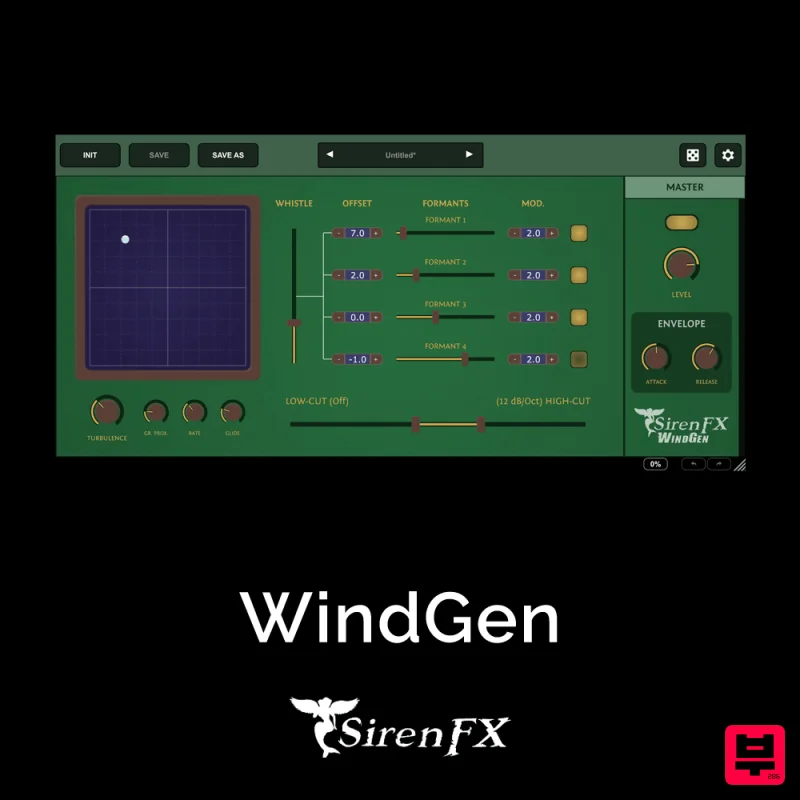
SirenFX WindGen
- • Accurate hardware simulation
- • No maintenance or calibration
- • Software recall for session consistency
- • Never exactly matches real hardware
- • CPU-intensive accurate circuit modeling
- • Purists prefer authentic hardware
How to Choose the Best Simulator
Sound Fidelity
Measures how accurately the simulator reproduces the sound of the original hardware or physical model. High fidelity ensures the simulated sound is usable for professional mixing and tracking.
Polyphony & Modeling
Assesses the ability of the plugin to handle complex musical ideas, such as multi-voice playing or complex modulation, efficiently.
Latency & Performance
Evaluates the plugin's computational load and latency, which is critical for real-time performance and avoiding DAW bottlenecks during intensive sessions.
Interface & Workflow
Examines the user experience, focusing on intuitive controls, efficient parameter mapping, and seamless integration with standard DAW workflows.
Modulation Depth
Measures the complexity and depth of the modulation capabilities, including LFOs, envelopes, and complex modulation routing, essential for advanced sound sculpting.
Buying Guide
When selecting a simulator, prioritize the specific sound you need—whether it's vintage analog warmth or modern digital complexity. Don't just look at the presets; investigate the underlying modeling architecture and the flexibility of the modulation engine. A great simulator balances sonic accuracy with efficient performance, ensuring your creative vision translates directly into high-quality audio.
Our Methodology
We rigorously tested these plugins across several professional production scenarios, focusing on sound accuracy, ease of use, CPU efficiency, and sonic versatility. Plugins were evaluated based on their fidelity to real-world gear, plugin architecture, and community feedback from professional musicians.

