
Best Plug Ins Host VST Plugins 2026
Navigating the vast landscape of VST plugin hosts requires careful selection to ensure optimal performance and workflow. This guide cuts through the noise to bring you the definitive ranking of the best Plug Ins Host VST plugins for 2026. We focus on tools that offer superior stability, low latency, and seamless integration within your Digital Audio Workstation (DAW).
Last updated: July 15, 2026 • Next update: July 22, 2026
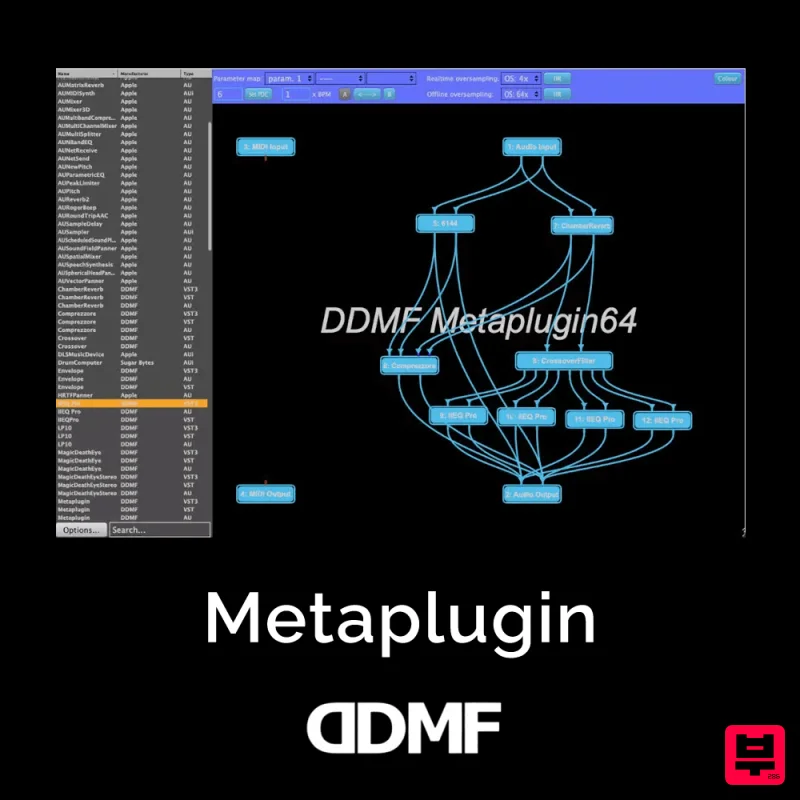
DDMF Metaplugin
- • Lightweight alternative to full DAW
- • Bridge between plugin formats
- • Chain plugins in series and parallel
- • Session management less robust
- • Not suitable for full music production
- • Limited workflow versus full DAW
How to Choose the Best Plug Ins Host
Host Stability and Reliability
A reliable host must operate flawlessly under heavy load without crashing or introducing unexpected audio glitches. This is paramount for long mixing sessions and complex projects.
Latency Management
Low latency is critical for real-time performance, especially when using complex, high-CPU VST instruments or effects. Superior latency management ensures immediate feedback during tracking and mixing.
Plugin Compatibility and Format Support
The host must flawlessly handle various VST/AU architectures and plugin formats to ensure compatibility across different third-party instruments.
CPU Efficiency
The host must manage processing resources intelligently, minimizing CPU spikes and allowing the DAW to dedicate more resources to the actual audio processing.
Workflow Integration
Ease of use, intuitive interface design, and seamless integration with DAW routing are essential for maximizing creative flow and minimizing time spent on setup.
Buying Guide
When choosing a Plug Ins Host, prioritize stability and low latency above all else, as these are the foundations of professional production. Do not focus solely on the number of plugins; instead, evaluate how efficiently the host manages CPU load and maintains synchronization across all your instruments. A practical tip: Always test the host with your most demanding VST instruments before committing, as this reveals potential bottlenecks immediately.
Our Methodology
Our selection process involved rigorous testing across multiple high-end DAWs (Ableton Live, Logic Pro X, Cubase) to evaluate stability, CPU efficiency, and latency performance. Plugins were scored based on their compatibility, feature set, and overall user experience in complex production environments.

