
Best Nektar Master Keyboards (up to 49 Keys) 2026
Alright, so you're in the market for a compact MIDI keyboard - 49 keys or less - and you're considering Nektar. They've been quietly building a solid reputation for years, offering a lot of bang for your buck. Nektar isn't chasing the flashy marketing hype of some bigger brands; they're focused on building reliable, well-integrated controllers that just work with your DAW. Let's break down what makes their smaller Master Keyboards worth a serious look.
Last updated: April 11, 2026
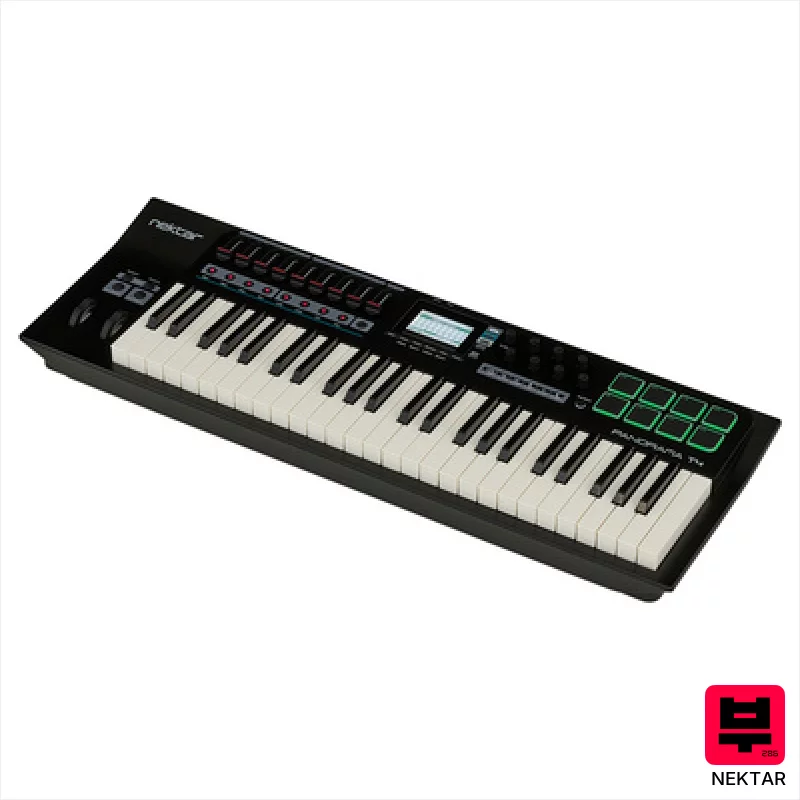
Nektar Panorama T4
- • Solid plastic build feels surprisingly robust for the price.
- • Aftertouch responsiveness adds genuine expressive control.
- • Nektarine software provides deep DAW integration and customization.
- • 9 faders offer tactile control over mixer channels or plugin parameters.
- • Key action is synth-style, lacks the feel of a weighted piano action.
- • Limited key range might restrict playing complex chord voicings.
- • USB power only; requires connection for operation.
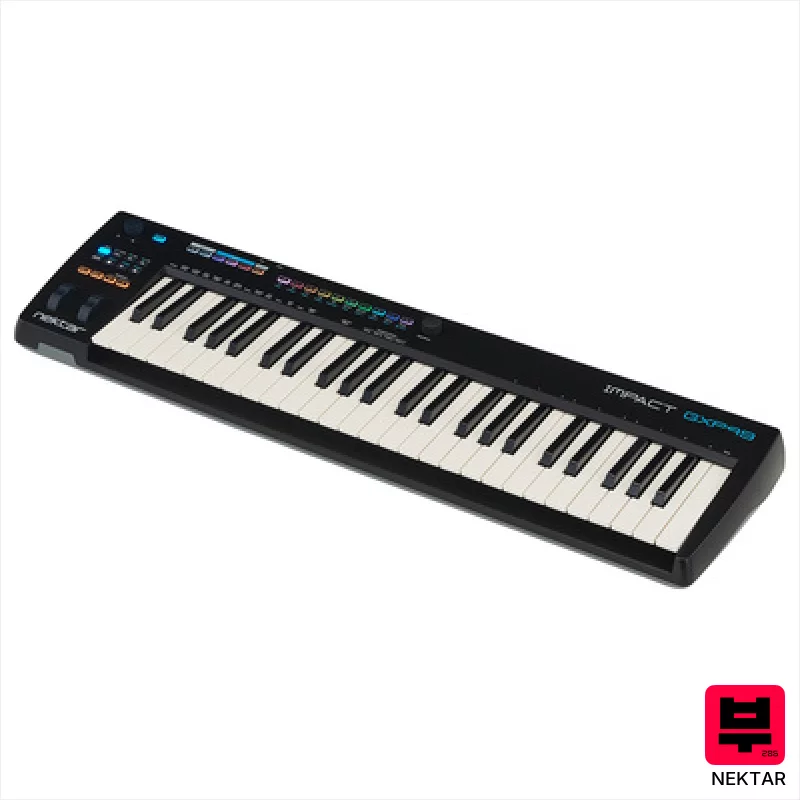
Nektar Impact GXP49
- • Semi-weighted keys offer surprisingly expressive feel for the price.
- • Aftertouch provides nuanced control for virtual instruments.
- • The Infinitive push encoder is a genuinely useful, innovative feature.
- • Backlit buttons and octave/transpose simplify playing in various ranges.
- • Plastic construction feels budget-oriented; lacks premium build quality.
- • Semi-weighted action isn't a true weighted piano feel; more synth-like.
- • Limited knob functionality beyond Nektarine integration.
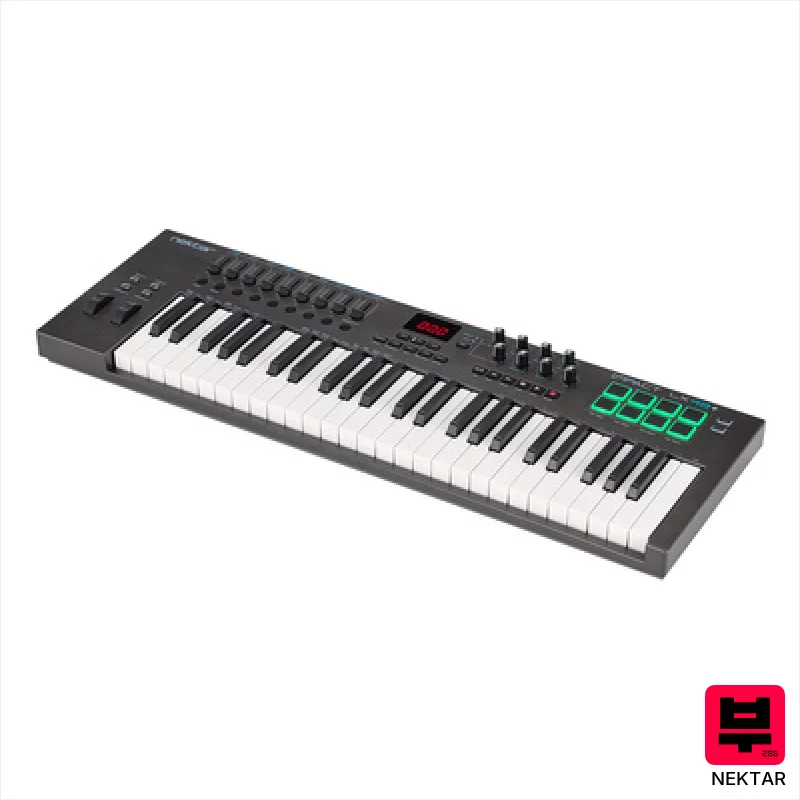
Nektar Impact LX49+
- • Solid plastic construction feels surprisingly robust for the price.
- • Excellent DAW integration streamlines workflow significantly.
- • The 30mm faders offer a more tactile and precise control experience.
- • Velocity-sensitive pads are responsive and useful for drum programming.
- • Keys, while velocity-sensitive, lack the depth and feel of a fully weighted action.
- • The plastic casing, while sturdy, can feel a bit hollow and resonate at times.
- • Limited aftertouch functionality restricts expressive playing potential.
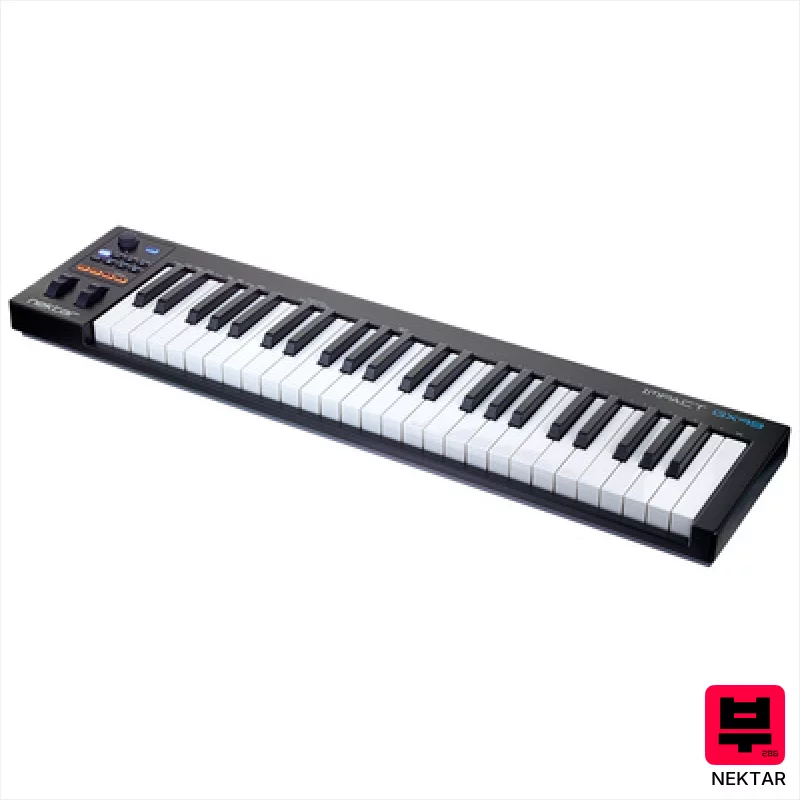
Nektar Impact GX 49
- • InSynth Actionin keys offer surprisingly decent feel for the price.
- • Comprehensive DAW integration genuinely streamlines workflow.
- • Assignable buttons and knobs provide substantial control options.
- • Bitwig 8-Track inclusion adds immediate creative potential.
- • Plastic build feels budget-conscious, lacks premium heft.
- • Keybed action isn’t a substitute for a weighted piano feel.
- • Limited key range restricts playing complex orchestral parts.

Nektar SE49
- • Surprisingly solid plastic construction for the price point.
- • DAW integration is genuinely useful, saving time and streamlining workflow.
- • Compact size makes it ideal for smaller spaces or travel setups.
- • Velocity curves offer a decent range of expression for budget MIDI controllers.
- • Keys lack aftertouch, limiting expressive playing possibilities.
- • Plastic keys feel budget; a more premium action would improve playability.
- • Limited knob/fader flexibility; lacks dedicated assignable controls.
How to Choose the Best Master Keyboards (up to 49 Keys)
Integration
Nektar's deep DAW integration is their signature move. Their Keymaps feature is genuinely useful, allowing for instant recall of instrument and mixer setups across different songs - a huge time saver for gigging musicians and producers. It's not just basic MIDI mapping either; they've clearly put thought into how a keyboard interacts with a full DAW workflow.
Keybed Feel
Nektar's keybeds aren't going to fool you into thinking they're Fatar, but they're surprisingly decent for the price point. They offer a bit of resistance, enough to get some decent articulation, but not so much that it feels like a chore. The action is consistent across the range, which is more than you can say for some competitors' cheaper offerings.
Build Quality
Let's be honest, you're not getting a tank. The plastic chassis feels a little... plasticky. But they're surprisingly robust for gigging - I've seen these take a beating on tour. The knobs and faders feel solid enough, although they do lack the premium smoothness of metal pot encoders. It's a trade-off for the price.
Control Surface
The dedicated transport controls (play, stop, record, etc.) are a massive win. Having those at your fingertips without reaching for your mouse streamlines your workflow considerably. The assignable knobs and faders are well-implemented and offer a good range of control for mixing and instrument tweaking.
Tone Characteristics (via MIDI)
This isn't a keyboard with built-in sounds, obviously. But the MIDI implementation is clean and precise, allowing your virtual instruments to shine. You'll get accurate velocity response and aftertouch translation - crucial for expressive playing. It's about getting the most out of your sounds, and Nektar provides a solid foundation for that.
Buying Guide
Don't expect boutique-level luxury. Nektar's smaller keyboards are about function and value. The biggest compromise you'll make is the keybed feel - it's not weighted, so it lacks the nuances of an acoustic piano. But for synth leads, pads, and sequencing, it's perfectly adequate. If you're serious about piano emulation, look elsewhere, but for everything else, Nektar delivers a lot of bang for your buck.
How This List Is Built
We don't play these instruments — we're a catalog, not a review desk, and we'd rather say so than pretend otherwise. This page ranks 5 master keyboards (up to 49 keys) from the Thomann catalogue, which is the largest single source of specification data in this category.
Position is computed, not curated. Four signals, in order of weight: how completely the manufacturer documents the instrument (number of published specifications), where it sits in the price range, how specific the model designation is — which filters out generic accessories — and whether a product image exists. The same inputs always produce the same order, so nothing here is shuffled to look fresh.
What this list is good for: narrowing a category down to a shortlist by spec and budget. What it isn't: a substitute for hearing an instrument. Before you buy, read hands-on reviews and, where you can, play it. Full methodology.

