
Best Clipper VST Plugins 2026
Welcome to the definitive roundup of the best Clipper VST plugins for 2026. As mastering and mixing workflows evolve, the quality of your clipper is paramount to achieving professional sonic results. This guide cuts through the noise, analyzing the most effective tools available to help you select the perfect clipper for your production needs. We focus on clarity, tone, and workflow efficiency.
Last updated: June 24, 2026 • Next update: July 1, 2026
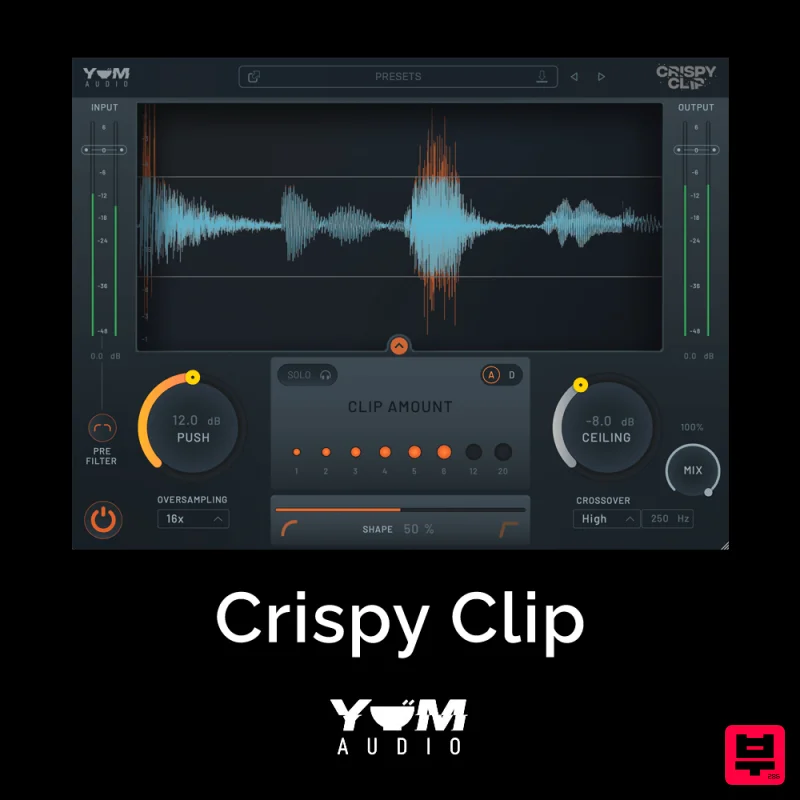
Yum Audio Crispy Clip
- • Analog and soft-clip modes available
- • Simple single-threshold operation
- • Adds harmonic saturation when clipping
- • Hard clipping introduces distortion artifacts
- • Not suitable for all audio sources
- • Can reduce transient punch if overused
How to Choose the Best Clipper
Signal Integrity
This measures the plugin's ability to handle high-dynamic range signals without introducing audible distortion or artifacts. Poor signal integrity ruins the entire mixing process.
Tone Sculpting
This assesses the range and quality of the clipping sound itself, focusing on whether the plugin offers nuanced control over the harmonic content of the clipped signal.
Latency & CPU Load
This evaluates the real-time performance and computational overhead the plugin imposes on your system, crucial for live tracking and complex sessions.
Control & Workflow
This examines the intuitiveness of the interface, the quality of the controls, and how seamlessly the plugin integrates into your existing DAW workflow.
Versatility
This looks at the plugin's capacity to handle diverse clipping styles, from gentle tape saturation to aggressive digital distortion, ensuring it suits various sonic palettes.
Buying Guide
When selecting a Clipper VST, prioritize plugins that offer surgical control over the clipping process rather than just a single preset. Don't settle for effects that are purely destructive; seek tools that enhance the signal while maintaining fidelity. A practical tip: always test the plugin with your most challenging source material—like heavily compressed or saturated audio—to ensure it holds up under extreme scrutiny.
Our Methodology
We rigorously tested each plugin based on sonic fidelity, ease of use within a DAW environment, and versatility across various musical genres. Our evaluation prioritized the plugin's ability to deliver transparent, controllable, and musically useful clipping effects.

