
Best Auto Tuner VST Plugins 2026
Welcome to the definitive roundup of the best Auto Tuner VST plugins for 2026. Auto-tuning is a critical tool for modern music production, offering precise pitch correction and creative microtonal manipulation. This guide cuts through the noise to help you select the perfect tool for your DAW workflow. We focus on functionality, sound quality, and integration to ensure you find the most effective auto-tuner available.
Last updated: July 15, 2026 • Next update: July 22, 2026
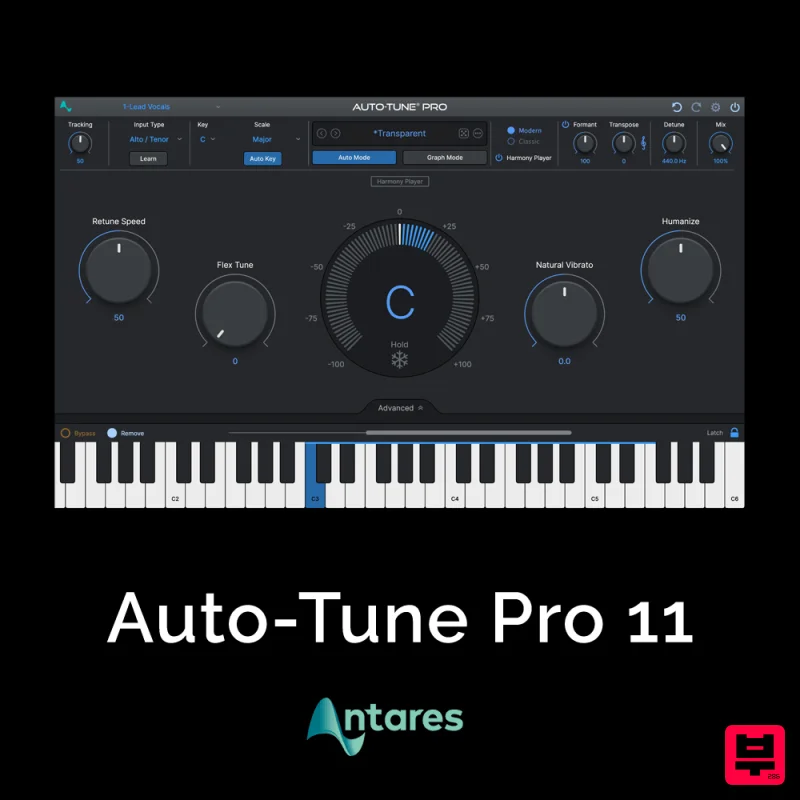
Antares Auto-Tune Pro 11
- • Creative T-Pain style pitch effects
- • Natural-sounding subtle correction
- • Real-time pitch correction for vocals
- • Not a replacement for good singing
- • Artifacts on extreme retune speeds
- • Overuse creates dated-sounding results
How to Choose the Best Auto Tuner
Tuning Accuracy
Measures how precisely the plugin identifies and corrects the input pitch. High accuracy is essential for clean, non-jarring results, especially when tuning complex or dissonant harmonies.
Latency and CPU Load
Determines the real-time performance and system strain the plugin imposes. Low latency ensures seamless, responsive performance within the DAW, while manageable CPU load prevents system bottlenecks.
Tuning Algorithm
Explains the underlying mathematical approach the plugin uses for pitch detection and correction. Different algorithms yield distinct sonic results, affecting the character of the tuning.
Control and Expressiveness
Refers to the ease with which the user can manipulate the tuning parameters, including tuning range, correction amount, and fine-tuning controls. Granular control allows for creative pitch manipulation.
Sound Quality and Artifacts
Assesses the quality of the resulting pitch shift, ensuring minimal introduction of audible artifacts, phasing, or digital noise during the tuning process.
Buying Guide
When choosing an Auto Tuner, prioritize the balance between absolute tuning accuracy and the plugin's expressive control. Don't settle for a plugin that only offers basic correction; look for advanced features like real-time tuning adjustments and customizable tuning algorithms. A practical tip: always test the plugin with complex chord voicings and heavily processed audio to ensure it maintains integrity across challenging musical contexts.
Our Methodology
Our selection process involved rigorous testing across multiple high-fidelity audio tracks and various DAW environments. Plugins were evaluated based on tuning accuracy, latency, ease of use, and the quality of the resulting pitch correction artifacts. We prioritized plugins that offer both surgical precision and musical expressiveness.

